Avatar and first person stabilizer users - Whether you prefer activating the LIV circle menu on the floor or from the SteamVR dashboard, the power to choose is now yours.
LIV Menu Location Options
Simply head over to the new General Settings tab of the LIV home menu, and under 'VR activation mode:' select either floor or SteamVR Dashboard activation. Note: If you'd like to swap these options you'll need to make sure the compositor is closed first in order to head back to this home screen.
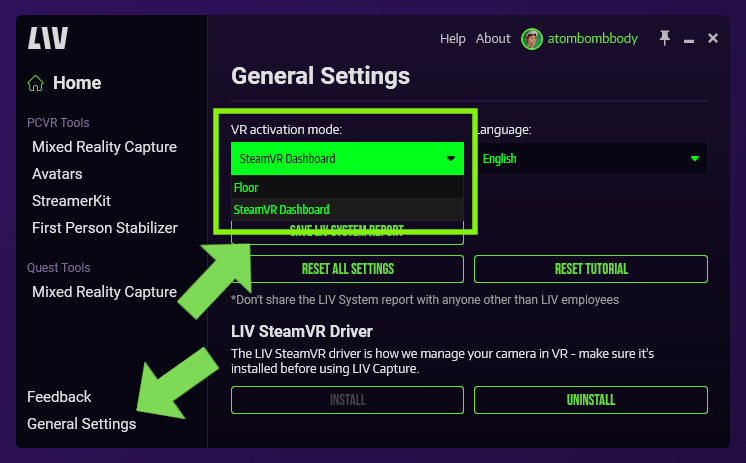
In Game Floor Activation
The traditional floor menu will be familiar to LIV veterans. With the LIV desktop app running (and avatars or first person stabilizer selected), head in headset and look down at the floor. When you see the LIV logo, take your cursor and hover it over the logo until it fills completely, then your menu will open. To exit the menu, simply go back to the LIV logo and hover over the circle until it fills and closes the menu.

SteamVR Menu Activation
With the LIV desktop app running (and avatars or first person stabilizer selected) open your SteamVR dashboard and you should see a new button on the lower left side. Click that to open the LIV menu! To close the menu you can click the ‘x’ in the top left corner (or click on the 'close menu' button in your SteamVR dashboard).
]

This activation mode is perfect to avoid those accidental menu toggles while playing a round of golf or picking up virtual objects off the floor.
Avatar Updates
These updates have lived in the public_beta branch for a little while for testing, but they're ready to graduate and become available to all
.avatar eye and mouth tracking changes:
- .avatar now supports Microphone (lipsync).
- .avatar now supports eye tracking blendshapes and face tracking blendshapes using SRAnipal-styled blendshape names.Note: We also support ARKit blendshapes, but for .avatar we strongly suggest choosing one or the other, and never both. See VRM section below.
- .avatar now supports eye gaze tracking through humanoid eye bone rotation. We will try to use the eye bones that are specified in the humanoid configuration of the avatar asset (this can be set in the import settings of your avatar asset, usually a FBX file).
- Use the new option "Use Experimental Eye Gaze" located in the VR LIV avatar selection menu to enable it (eye tracking is required).
.VRM eye and mouth tracking changes:
- .VRM now supports eye tracking blendshapes and face tracking blendshapes using ARKit-styled BlendShape Clip names.
- Added a new checkbox option "Use Experimental Eye Gaze" located in the VR LIV avatar selection menu (Eye tracking is required). When enabled for VRM avatars, it will attempt to rotate the eyes more strongly to match the eye gaze precisely.

It's Prisma Sinclair!
You can find full documentation and more details of these new avatar updates here (for .avatar formats) and here (for .VRM) respectively!
Misc Updates
General Settings & the About Page
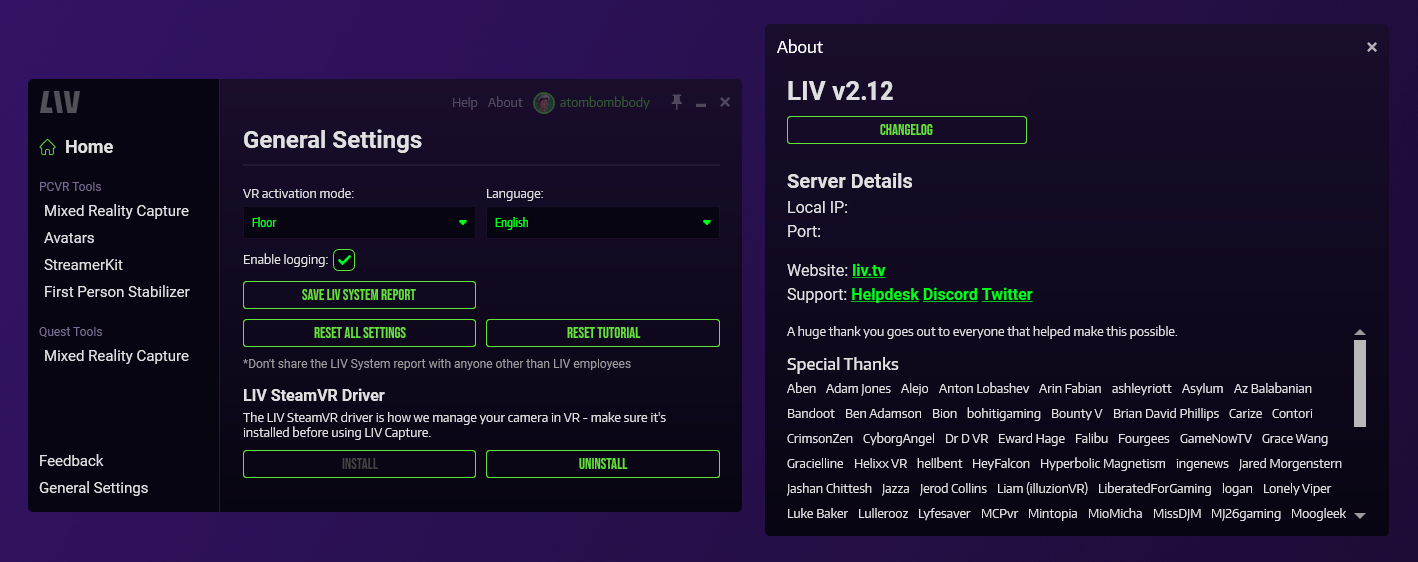
We've created a new section on the LIV home menu labeled 'general settings' which contains functions pulled from the quiet 'about' page that frankly, just makes more sense.
Specifically:
- The new LIV menu activation options
- Languages
- LIV system reports
- Resetting LIV settings
- Restarting the tutorial
- Installing the LIV SteamVR driver
...have all been moved over into this new tab.
Beat Saber
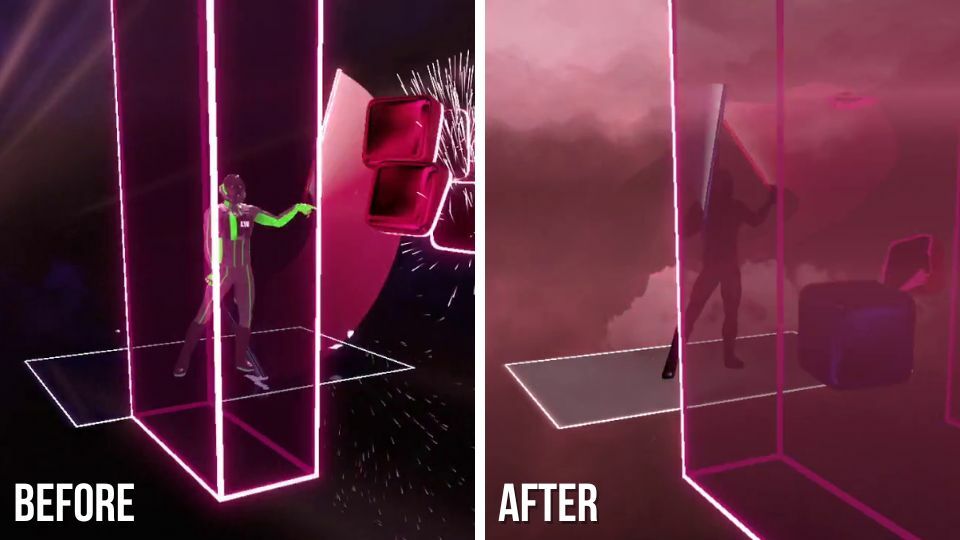
Also moving over from the public_beta branch, minor Beat Saber improvements with LIV!
Opaque objects are now actually opaque, the way they are meant to be!
Let us know what you think, we'd love to hear your feedback on our Discord!
LIV on creators!