Hello all! Today's update adds a new camera mode (called Auto Director), the ability to save screenshots of in-game tasks, improved previews for Archive.org shortcuts, several bug fixes, and the ability to use short low-res MP4s as always animated images on cabinet screens!
Always Animated MP4s (+improvements)
You can now use MP4s on items the same way you use normal Always Animated Images. Remember - images & MP4's that are always animating are also always loaded in memory (when visible), so for good performance it's important to only use short, low-resolution MP4s.
Seeing a room of arcade cabinets in AArcade all w/ video clips dynamically on their screens is like a dream come true for me. :)
To help you create good MP4s to use, there is a short tutorial on how to do it using Gyazo here: https://hackmd.io/@smsithlord/H1fdj8T-9#How-to-use-MP4s-as-Always-Animated-Images
Also in today's update, Always Animated Images (and MP4s) have been improved to un-load themselves if they haven't been rendered in the last few seconds - which *usually* results in higher resolution animated images in the room you are actually hanging out in.
Camera Auto Director
This new camera mode uses your F5 screenshots as fixed-camera positions that track you as you walk around (inspired by Resident Evil's camera system.)
First, you must take some F5 screenshots in your arcade. Then go to Tab Menu > Commands tab and use the Camera Auto Director Toggle command. Use the command a 2nd time to toggle it off.
In-Game Task Screenshots
If you've ever found yourself wanting to capture a screenshot of **only** an in-game task, now on the Tab Menu > Commands tab there is Task Snapshot.
It will capture the active in-game's last rendered frame as a TGA & save it into Anarchy Arcade/aarcade_user/taskshots.
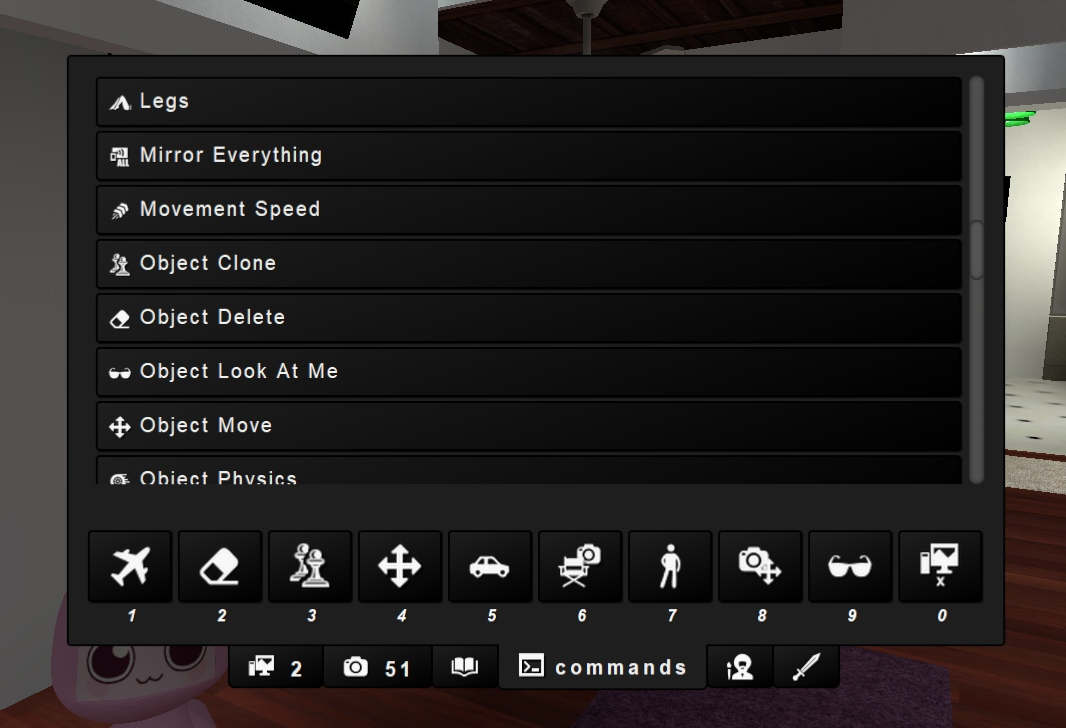
Commands Tab <-> Console Command Macros
This one is a bit advanced & for people who are familiar with using the Source engine developer console (~) to bind custom commands to keys.
All of the commands from the Tab Menu > Commands tab are now defined as console command macros all prefixed with "cmd_". You can use "find cmd_" in the console to see a list of all available macros. And you can bind them using "bind p cmd_spawn_objects" (for example.)
Improved Archive.org Previews
AArcade is now able to detect Archive.org URLs & automatically show the "embed" version of the link instead of the details link when previewing in-game. This lets you drag & drop links from Acrhive.org w/ better in-game previews w/o needing to manually customize your item further.
This system of locally detecting a database site's URL & generating the preview version of the URL instead will likely be expanded to support user customization in the future.
Smoke Volume Fixes
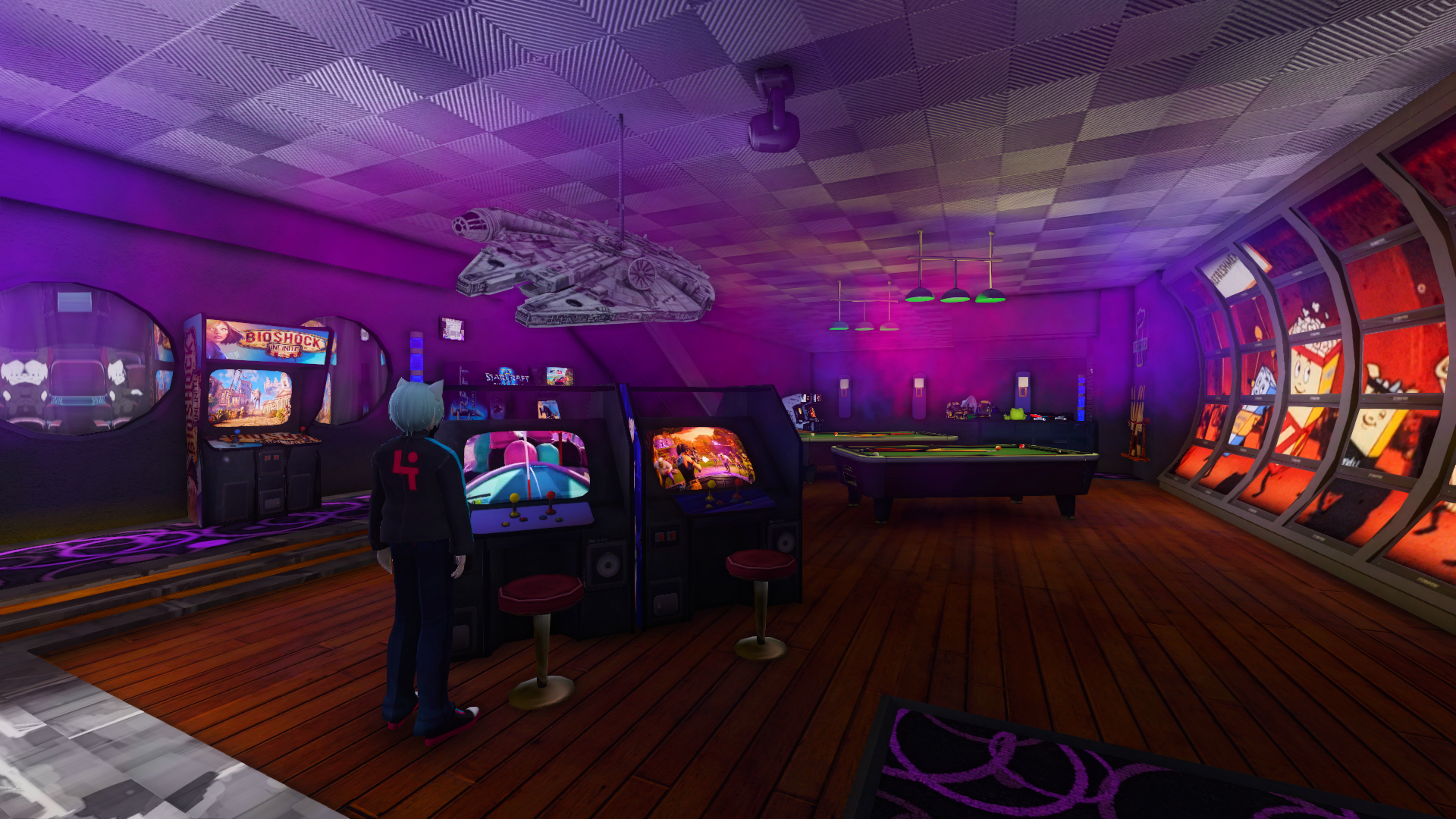
Today's update fixes an old bug (originally related to the Fog Machine prop) that caused smoke volumes that were in maps themselves to be broken.
Now smoke volumes work in maps again - and also the Fog Machine prop has been improved to be more reliable.
Quest Improvements
Today Coin Collect EZ quest templates have been improved to be linkable to Gossip EZ quests, & vice versa. This lets you create a quest chain where you must talk to an NPC before he gives you a "collect the objects" objective, and lets you tie completing the collect object quest back to any other quest you have waiting.
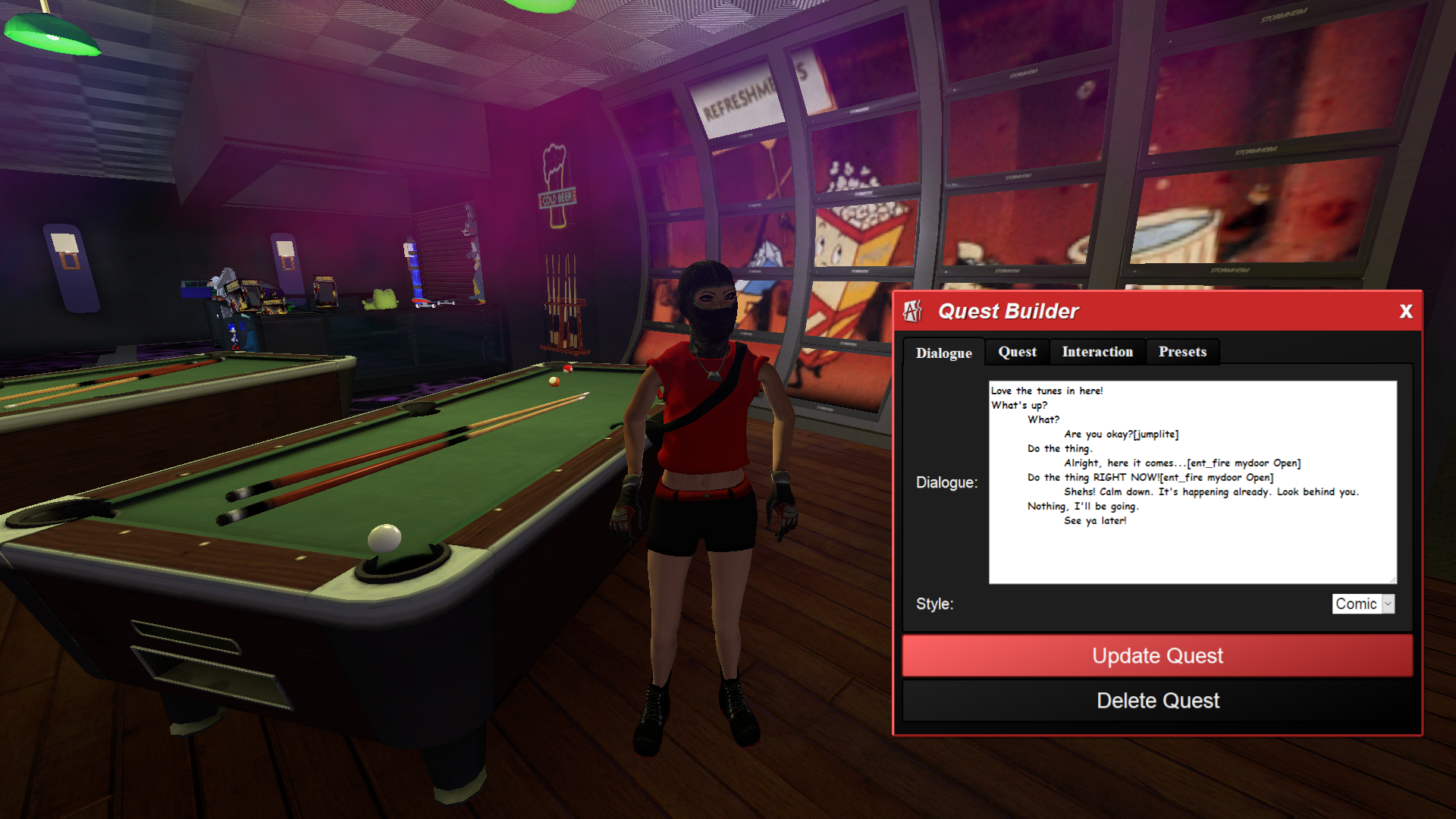
Another big update to the quest system is the ability to fire Source engine entity I/O from a quest dialogue using a new tag. This is *mostly* only useful to people who create their own maps in Hammer. However, with enough snooping around a map w/ console commands, it's possible to find stuff in exiting maps you could trigger from quests using ent_fire.
You'd first make sure your ent_fire command works using the (~) developer console. Technical information on how to use the ent_fire console command can be found here: https://developer.valvesoftware.com/wiki/Ent_fire
Documentation for the quest system itself is still a work-in-progress, so please feel free to jump into our Discord if you need any help creating quests of your own.
ReShade Manual Update Instructions
AArcade's launcher has some special support for working w/ ReShade's d3d9.dll. However, there is currently an AArcade bug that resets your ReShade settings every time there is a client update.
While I work towards a solution to properly support ReShade - it is suggested that users manually update their ReShade to the newest version using the special instructions provided here: https://hackmd.io/@smsithlord/H1fdj8T-9#How-to-manually-update-ReShade
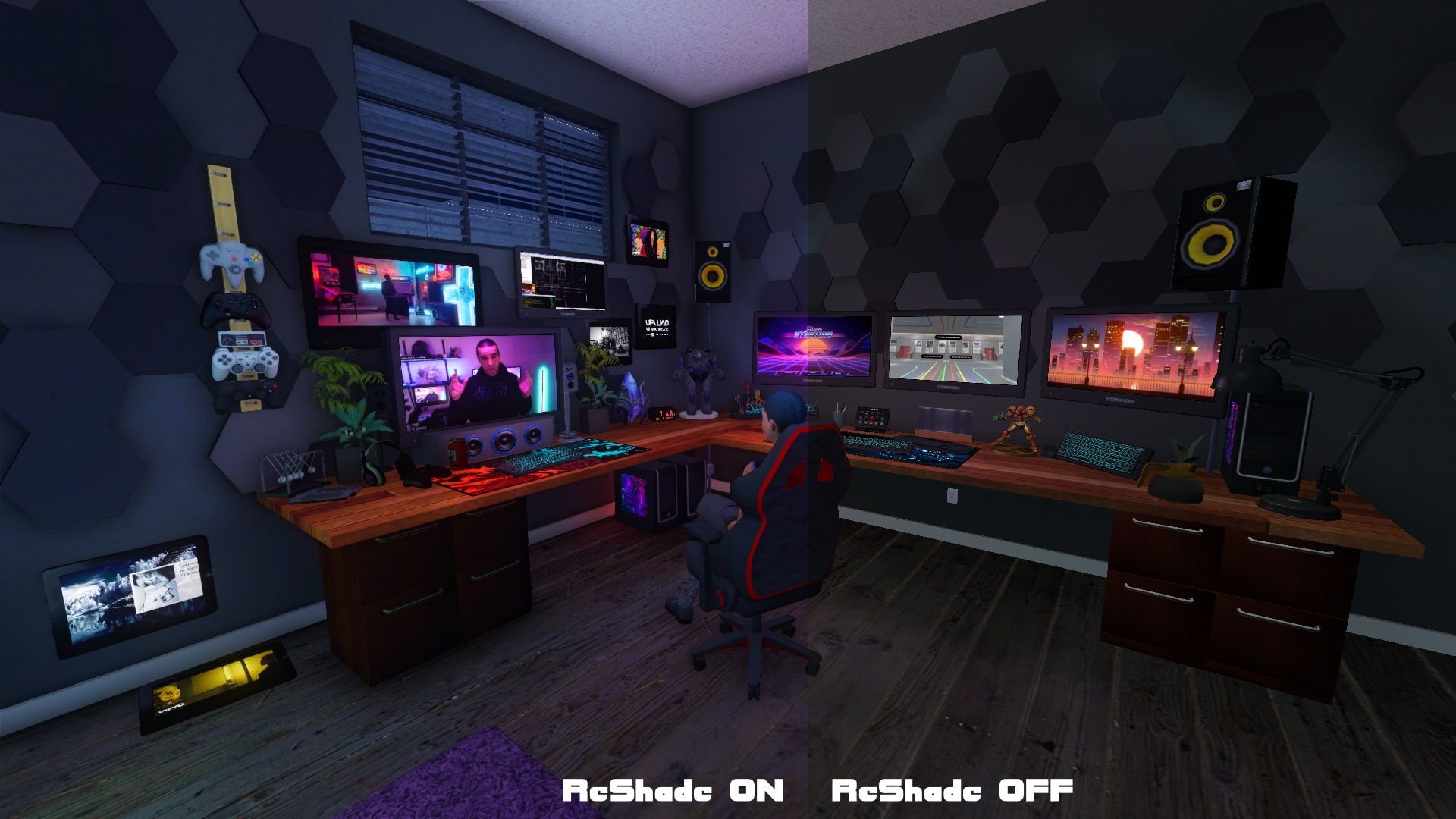
If you're not familiar with ReShade - it is a 3rd party project that adds awesome post-processing effects to DirectX games (like HL2 and AArcade.) The project's website is: https://reshade.me
While ReShade works out-of-the-box with tons of popular games by using their install wizard like normal, the setup to use with AArcade is slightly different because of where our d3d9.dll is & what it's named. So be sure to give the AArcade instructions up there a look before jumping in w/ ReShade.
Bug Fixes & Improvements
Some other fixes (other than the ones already mentioned) include avatar images in multiplayer should be fixed now, some things in the Settings menu have had their help text updated, and a couple obsolete options & commands have been purged.
Also, TheMovieDB wizard has been updated to work for getting movie meta data again. Note that the only 2 wizards expected to be in working order currently are TheMovieDB and the Steam Store wizards. (The defunct & obsolete wizards will be purged soon - with drag & drop features improving to help assist with item customization.)
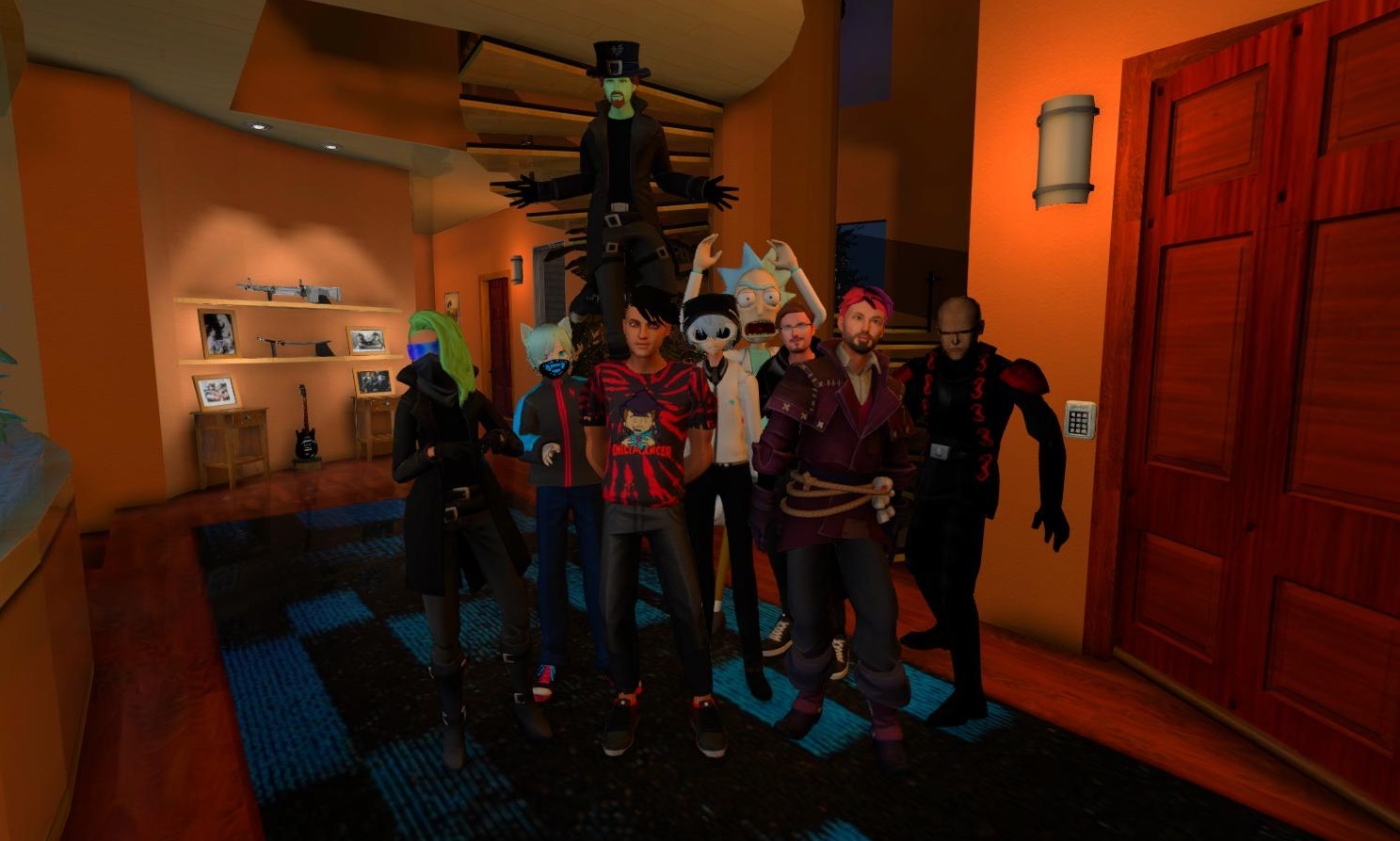
Community Avatar Pack + Screenshot Event
Recently several members of the community prepared their personal avatars of themselves to become NPCs in AArcade. We shared the pack with each other & posed our characters in our arcades for some fun screenshots.
Thanks to everybody who participated in this version of the community avatar pack - and looking forward to adding more community members' characters to the pack. Feel free to jump into the Discord or hang out in the twitch.tv/anarchyarcade chat to get involved with the AArcade community yourself!
Our Discord + Occasional Multiplayer Meetups + Weekly Live Stream
If you have any questions or just want to get active in the AArcade community, you are invited to join our Discord here: https://discord.gg/xtPSqy8
We have occasional multiplayer meetups & field trips where we explore worlds together. They are organized in the Discord and streamed onto the weekly twitch.tv/AnarchyArcade live stream when they happen. You are invited to participate in the chat there as well.
That's all for today's update! Party on ya'll!
Change Log
- Added Camera Auto Director Mode that uses your F5 screenshots in your arcade as Resident Evil-style camera positions that track you as you move around.
- Added Camera Audo Director Toggle to the Tab Menu > Commands tab.
- Added a new console command task_screenshot that saves a screenshot of the active in-game task into aarcade_user/taskshots
- Added Task Snapshot commands to the Commands tab.
- Added cmd_ console commands for all commands on the Commands tab. (If you type "find cmd_" into the console, it will show you all of them.
- Added support for MP4 URLs to be used as Always Animating Images. (IMPORTANT: Only set **very** short **very** low resolution MP4's to always be animated.)
- Added Always Animated Images MP4 Support to the Settings > UI tab. When enabled, MP4's will animate just like GIFs do when set to always animate.
- Improved Always Animated Images to auto-remove images from the active atlas if a screen that uses it hasn't been rendered within the last 360 frames.
- Changed the help text for Show Windows Task Bar & Max Library Search Results in the Settings > UI tab.
- Fixed a bug that sometimes caused the console variable that controls Always Animating Images to be stuck in the OFF state.
- Removed "Right Free Mouse Toggle" from the Settings > UI tab, because it is obsolete for now.
- Changed Auto Inspect logic to prefer the Preview field over the Stream field, by default. (To better accommodate you assigning short MP4s to the Stream field to always animate.)
- Fixed avatar images on the Online Servers menu.
- Improved line wrapping on the Online Servers menu.
- Added a Copy Link button next to each server listed in the Online Servers menu.
- Added $glassenvmap and $dudv to the list of material attributes that get detected when adopting/syncing custom assets.
- Improved JSON exports of arcades by including the BodyGroup of objects as a "body" value in the JSON.
- Improved Auto Inspect behavior to automatically embed archive.org file URLs. (Clicking on an archive.org video or comic will now show it in preview mode instead of detail mode.)
- Fixed a bug that prevented smoke volumes built into maps from working properly.
- Fixed a bug w/ the Fog Machine prop that caused it to be unreliable.
- Added ability for quest dialogues to trigger world logic via a new quest dialogue tag. It uses Source engine entity I/O - just like you'd type into the ~ developer console.
- Improved Coin Collect quests to support the Object Presence values of: Always, Until Collected, and After Begun.
- Improved EZ Quest Presets to be more resistant to loading invalid values.
- Added ability to chain Gossip quests into Coin Collect quests & vice-versa.
- Added support for Coin Collect quests to chain into other quests.
- Fixed TheMovieDB Wizard.