Status
SteamPeaks
ChartsSalesUpcomingPatchesNewsCalculator
New on SteamEvery app, DLC and depot the minute Steam creates itAppsEvery app on Steam, newest change firstPackagesSubs and bundles, and what each containsDepotsDepots, manifests and install sizesTagsSteam's user tags and the games under themDevelopers & publishersCompanies and their cataloguesTechnologiesEngines, SDKs and anti-cheat found in the filesChange historyEvery PICS changelist as it lands
SignalsNineteen readings of the whole catalogueCompareAny games side by sideRecordsAll-time peaks and the days they were setReportsWeekly and monthly write-upsAlerts & newsroomWatch a game, get told when it movesSteam statusIs Steam up, right nowWeb API explorerTry the endpoints in the browser
NewsSteam's own announcements and the sales calendarCalculatorWhat a Steam account is worth, and its pile of shame
/
Sign in
/
SteamPeaks
The ultimate resource for Steam data.
ExploreChartsSalesSales and festsUpcomingPatchesNewsRecordsTrendingSignals
DatabaseAppsPackagesDepotsTagsDevelopersTechnologiesChange history
ToolsCalculatorCompareSearchAlertsSteam statusAPI
SiteMethodologyFAQDiscordSupportSign in via Steam
Not affiliated with Valve or Steam. Game names and artwork belong to their owners. All times UTC.
PrivacyCookiesFair useStatus
Rising WorldNewsUpdate 0.2: Building Update
Major update

Update 0.2: Building Update

Rising World · published 29 Apr 2021, 18:48 UTC

All newsPlayers around this dateRead on Steam

Hi folks! Finally the building update is available for the new version! It introduces almost 200 different materials and 27 different construction shapes.

Unlike the Java version, there is no longer a distinction between blocks and construction elements. Instead every block can now be freely rotated and resized, which gives a lot more freedom compared to the old version.
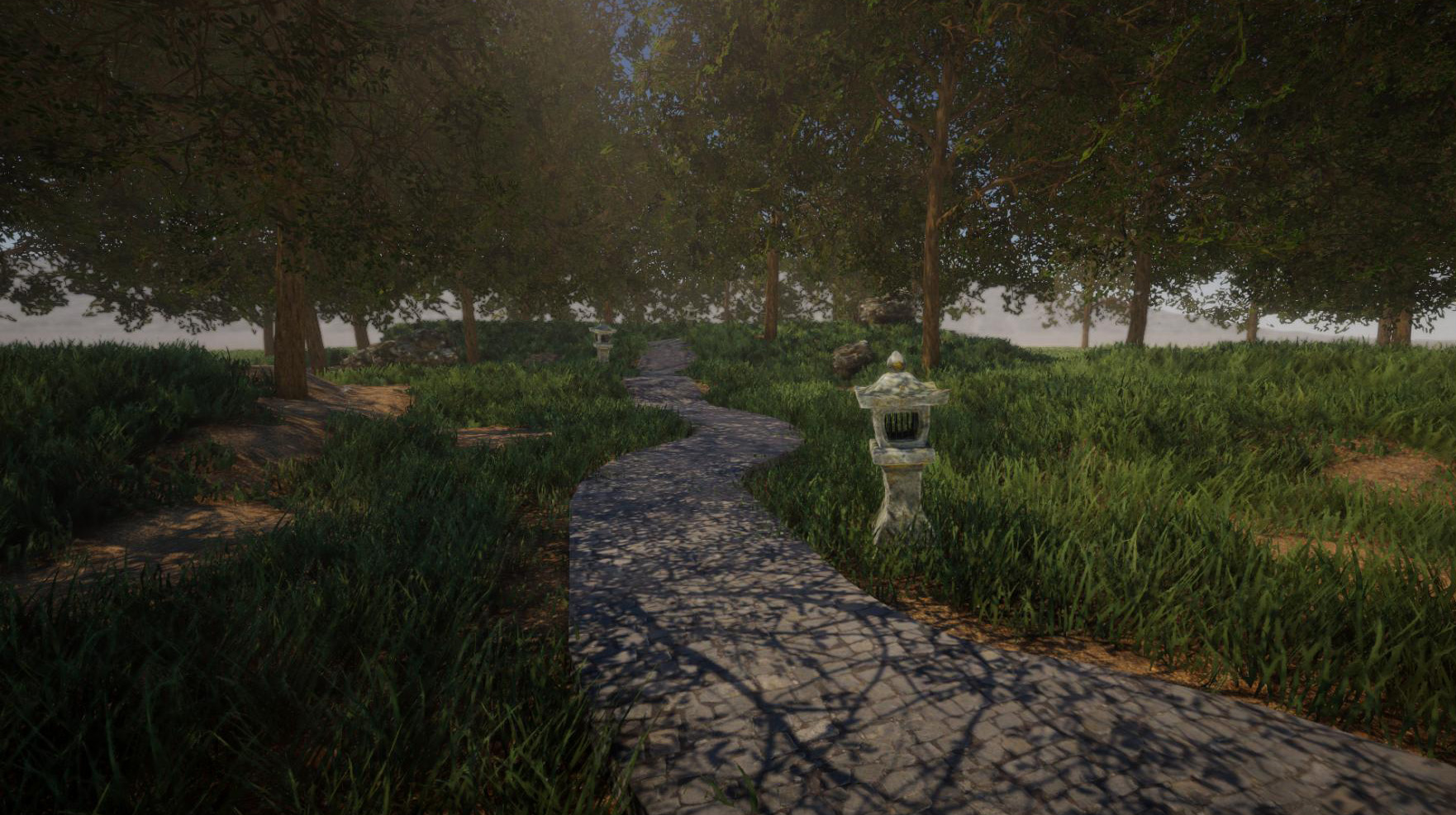
We've also created new building tools from scratch, introducing various new features. For example, the modular snapping is now very powerful and enables you to easily create rounded structures in no time. There is also a visual radial menu now which allows you to change various building settings without having to use console commands.

Compared to the Java version, you will now experience much smoother texture transitions between different materials and also significantly less flickering on overlapping elements.
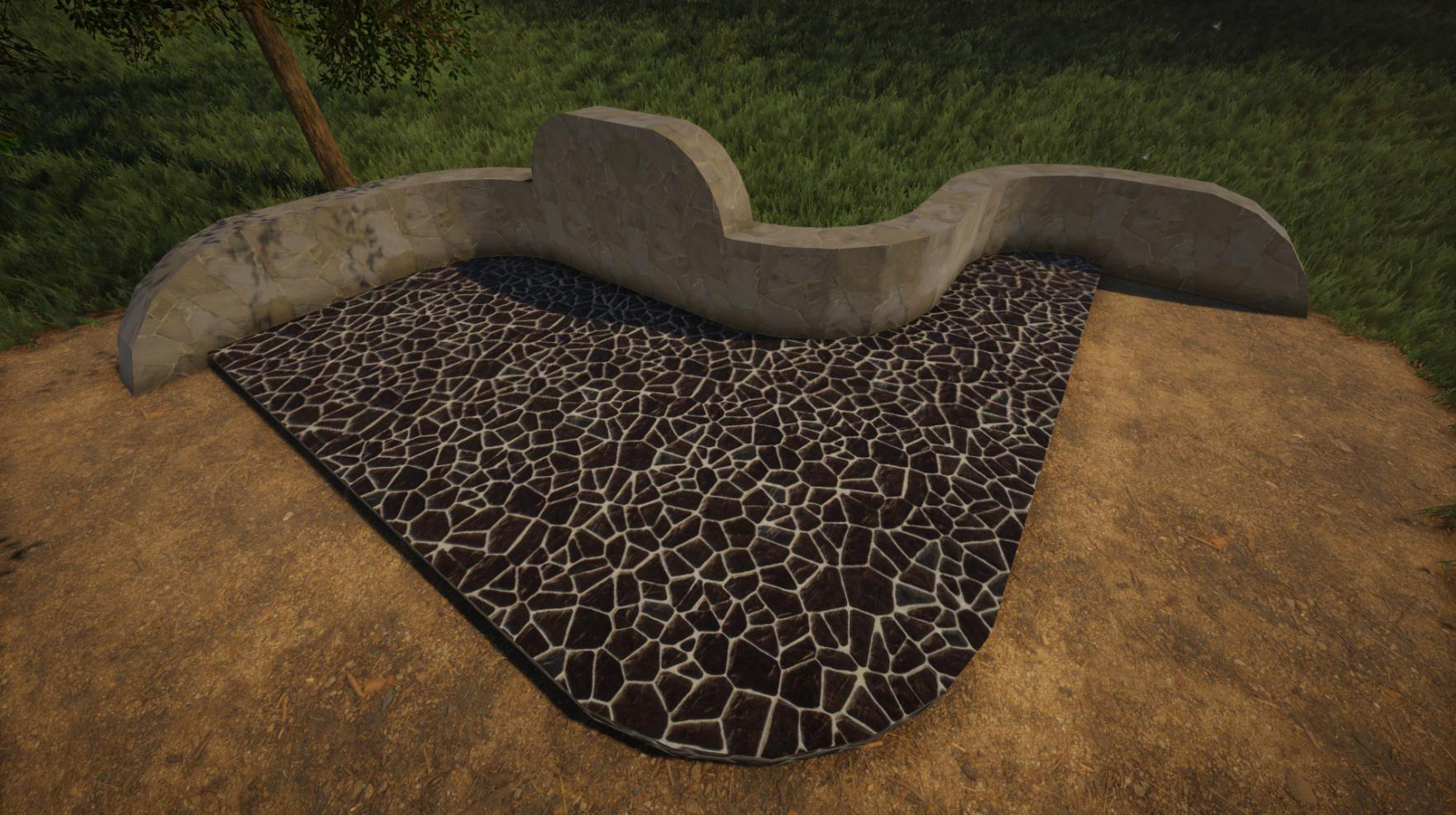
Unfortunately the crafting part is not fully implemented yet, so we've set up a temporary material selection at the workbench. The same material selection also shows up if you use the "item" command: Typing "item block" into console brings up the texture selection. Alternatively you can also just type "item construction" to bring up a shape selection as well.

We appreciate any feedback regarding the new building tools. We've implemented them in a modular way, so we can modify them quite easily if necessary. If you find any issues with the building tools or if you have any suggestions about them, please don't hesitate to let us know!

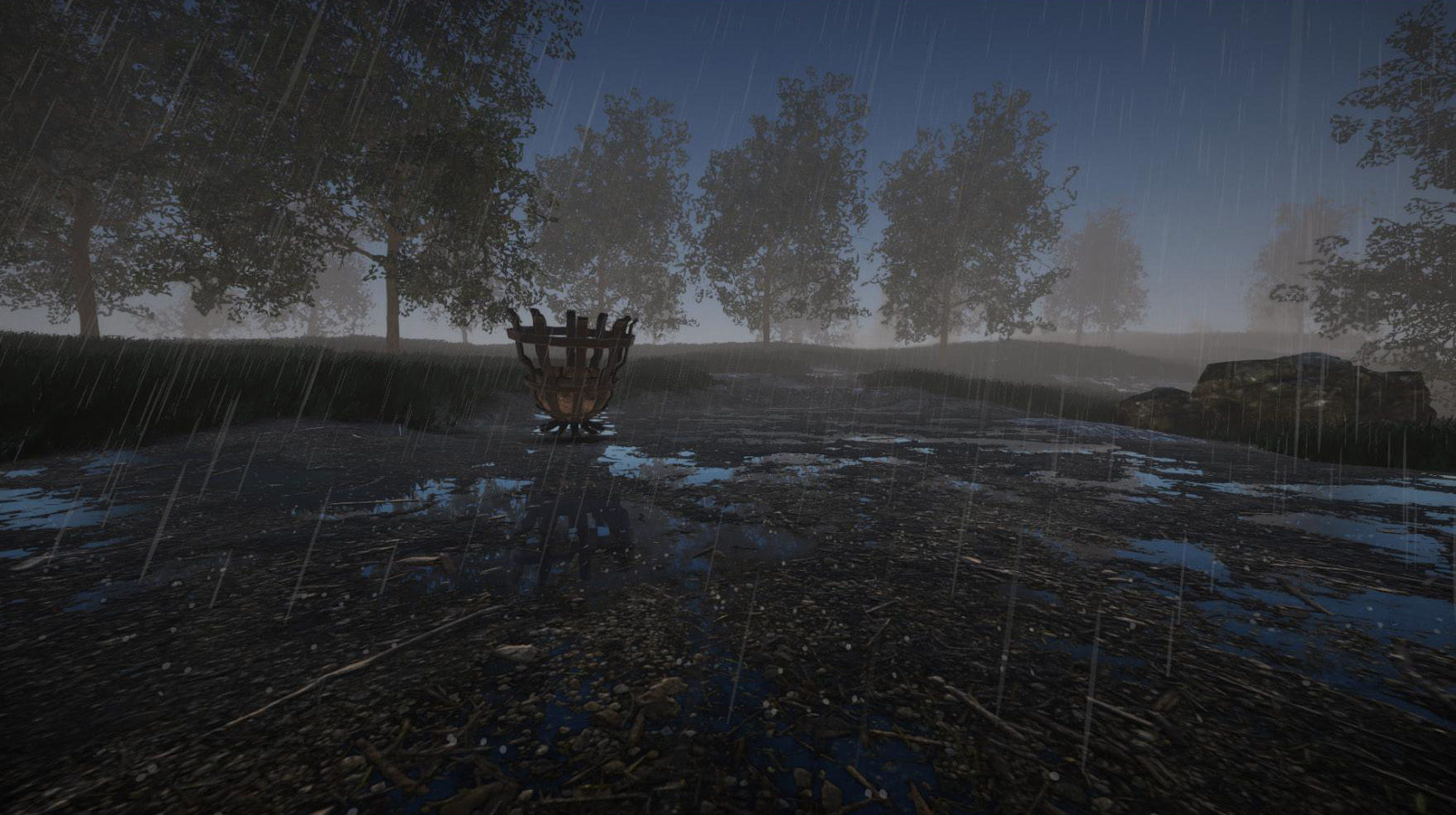
Apart from the building part, this update also introduces a few other changes and additions. Rain now produces proper puddles on terrain, and we've also added reflections for puddles and smooth construction materials (like metal or marble). We've also improved lots of sounds, implemented the "misc" settings menu (giving you access to various game options), changed the way how grass is generated, and if you prefer using a high FOV or if you play on an ultra-wide screen, you can now enable "panini projection" to reduce screen distortions. Find the full changelog below!
It's now our intention to add multiplayer and blueprints. We've already implemented large parts of the multiplayer, so the next update will be available a lot faster. Stay tuned!

__________________________________________________

Changelog 2021-04-29 (0.2):

  • Update to Unity 2021.1
  • Added 27 different construction elements (block shapes)
  • Added 198 different textures
  • New building tool for construction elements:
    • New modular snapping (automatic and manual mode)
    • Ability to place multiple elements in a row (1-3 directions)
    • Ability to change texture scale
    • Upper surface can be modified independently
    • Ability resize elements proportional
    • Ability to apply size of an existing world element to current element
    • New radial menu to change parameters without commands

  • Reduced z-fighting (flickering) of overlapping construction elements
  • Ability to paint construction elements
  • Grass can now grow in all directions (TBD)
  • Added "Miscellaneous" settings menu, giving access to various game settings
  • Added buttons to sort inventory or merge item stacks
  • Added screenspace reflections (still WIP)
  • Rain produces puddles on terrain and also gives it a "wet" look
  • Added settings to hide pivots or grid in building tools
  • Added new background scenes for main menu
  • Added optional fly mode speed control (shift+scroll), see misc settings
  • Added "panini projection" setting (to reduce distortion when using wide fov)
  • Command "item construction" now brings up a block shape selection menu
  • If no variation is defined for the "item" command (when spawning constructions), a texture selection menu shows up
  • Added new fire and reload sounds for repeater
  • Added inertia to equipped item
  • Cannot pickup locked doors anymore
  • Increase running speed of player
  • Player lowers equipped items while sprinting
  • Walkie-Talkie and Megaphone no longer crash the game if recording device could not be initialized
  • Fixed missing texts when changing creative mode terrain tool shape
  • Fixed grid rendering on lowest grid sizes (0.0625 and 0.03125)
  • Fixed broken textures (red spots) on LOD terrain
  • Fixed sporadically occurring shadow artifacts on lit surfaces
  • Fixed console key showing up in input line when opening/closing the console
  • Fixed various other issues

Hotfix 2021-05-03 (0.2.0.1):

  • Pivots for remaining construction elements (rounded block, corner elements etc) are now available
  • New block shape: Half cone
  • Fly mode no-clip setting is now accessible in the misc settings
  • Added frame limiter setting (see graphics settings)
  • Added "findbase" console command
  • Manual positioning now stays active after changing the item (need feedback)
  • Added additional preset slot to building radial menu
  • Increased default duration of a day from 42 to 60 minutes
  • Changed tiling for some wood textures
  • It now takes 2 hits to destroy blocks in creative mode
  • Fixed wrong rotation if modular snapping is active
  • Fixed texture issue on rounded block
  • Fixed texture on slope getting stretched on certain rotations
  • Editing surface offset of rounded block no longer breaks the mesh
  • Fixed missing tooltips and drag&drop items after returning to the main menu
  • Fixed rotation not working right after enabling the manual positioning mode
  • Changing block shape after splitting the stack no longer affects both stacks
  • Fixed inventory sometimes being cleared for no reason
  • Fixed reset button in settings not working correctly
  • Fixed wrong door scale (thickness) after resizing it
  • Fixed wrong wind intensity on snow effect
More from Rising World

Other announcements

All news
Major update31 Aug 2026Update 0.9.3: Animal Feeding and Taming, better caves and much more!Hi folks! A new big update is now available! It introduces animal feeding and taming, improved cave generation, actual ocean waves and a lot more! Animal Feeding and Taming This update greatly expands the "Animal Husbandry" aspect of the game: you're now able to feed and tame animals! Animals become hungry over time. If they go without food for a long time, this becomes visually apparent as the…In-game event30 Apr 2026Update 0.9.2: Animal Breeding, Item Placement, better Controller SupportHey folks! Finally a new update is available! It introduces various new things, changes and improvements and also several bugfixes. Item Placement With this update you can place items persistently in the world (this means they won't despawn after a restart). To do that, hit the B key twice to place the currently equipped item (this key binding can be changed in the settings). Alternatively righ…In-game event22 Dec 2025Update 0.9.1: Steam Cloud and moreHi folks! First of all, we wish you a Merry Christmas and a Happy New Year! We hope you enjoy the holidays :) This is a good opportunity to release a small update! It adds new items, various Quality-of-Life changes, several bugfixes and also support for Steam Cloud. Steam Cloud support means that your worlds and blueprints are automatically stored in the Steam Cloud and synced with other device…