Onset 1.4.2 (Protocol Compatibility 4)
Remote WebUI whitelisting
Until now remote WebUIs could only display websites that have been whitelisted in the game config.
To give you more freedom, servers can now request the client to whitelist additional domains. Only domain names with a top level domain (TLD) can be whitelisted.
Use the new function AddWebUIWhitelist in your index.lua or any other package script. When a player connects they will be asked.
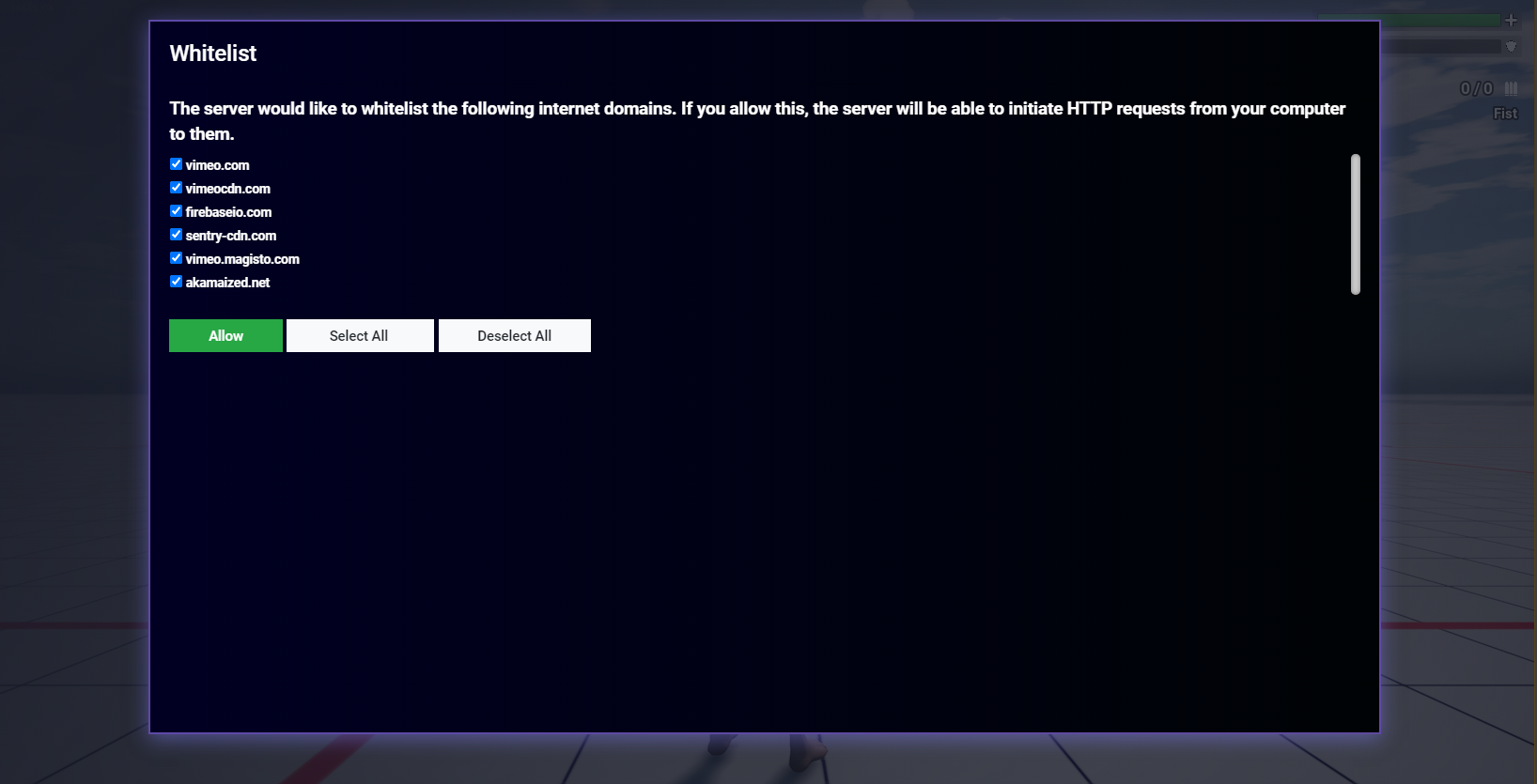
Example whitelisting from the above picture:
--index.lua
AddWebUIWhitelist("vimeo.com")
AddWebUIWhitelist("vimeocdn.com")
AddWebUIWhitelist("firebaseio.com")
AddWebUIWhitelist("sentry-cdn.com")
AddWebUIWhitelist("vimeo.magisto.com")
AddWebUIWhitelist("akamaized.net")
The following Lua event is called in your scripts once the player reacted to the request screen:
-- The 1st parameter "domains" is a table containing the domains which the player allowed on the whitelist.
AddEvent("OnWhitelistAccepted", function(domains)
    print("OnWhitelistAccepted", #domains)
    for k, v in pairs(domains) do
        print(k, v)
    end
end)
Loading screen download progress
The following Javascript functions are now called in your custom connect screen.
function OnDownloadComplete(file)
{
    console.log("OnDownloadComplete " + file);
}// (string) msg: The message that is usually displayed to the player.
// (string) file: What file is currently being downloaded.
// (int) remaining_files: Number files still needed to download.
// (string) bytes_received: The number of bytes already received for the current file downloading as a string.
function OnDownloadProgress(msg, file, remaining_files, bytes_received)
{
    console.log("OnDownloadProgress " + msg + " " + file + " " + parseInt(remaining_files) + " " + bytes_received)
}
Clientside variable storage
Saving data on the client can be useful for some client settings. For example the ordering of an inventory in your UI.
Saving variables:
SetStorageValue("var_str", "Some long string variable")
SetStorageValue("var_int", 1337)
SetStorageValue("var_float", 3.1415)
SetStorageValue("var_bool", true)
Reading variables:
print(GetStorageValue("var_str"))
print(GetStorageValue("var_int"))
print(GetStorageValue("var_float"))
print(GetStorageValue("var_bool"))
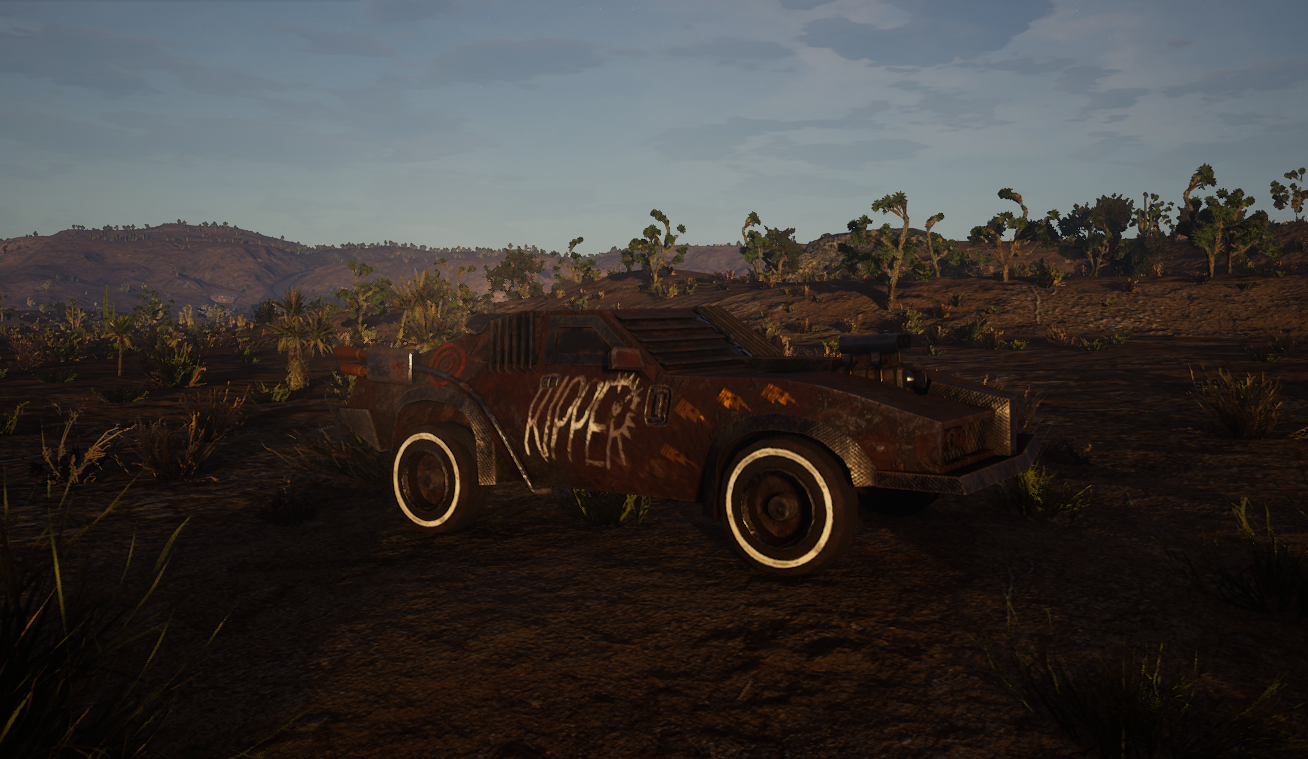
Apocalypse_02 battle car
Spawnable using the function CreateVehicle with vehicle model id 56.
Other changes and additions
- Add Lua function IsInputKeyDown.
- Add UnrealLua function USkeletalMeshComponent:SetAllBodiesBelowSimulatePh ysics(BoneName, bNewSimulate, bIncludeSelf)
- Fix Set/GetPlayerPropertyValue for the local player.
- Negative player identifiers passed to Set/GetPlayerPropertyValue will now be treated as local player.
- Fix error logging in exported functions.
- Allow the default Lua function "error" on the client.
- WebUIs now check files if they have been modified before they are loaded.
- Support .otf and .woff font files.
- The Truck02 vehicle has completely new collisions.
- Fix backfire not working since the last update.
- Some weird proxy LOD meshes should be fixed now.
- Custom maps using world composition and streaming levels had a bug where the streaming levels are not loaded after reconnecting to a server. This is now fixed.
- The game files have been optimized and reduced by another 1GB.
- The winter edition is now disabled.
Server
- Fix crash in exported functions where returned tables contain functions.