Quaver 0.27.0 Update Patch Notes - Main Menu Skinning, Rank Updates + More
Quaver · published
Quaver Update 0.27.0 Patch Notes
A new Quaver client update has been released!
For this update, we've added difficulty calculation updates, main menu skinning, editor improvements, bug fixes, & much more!
Please read below for all information regarding this update.
Difficulty Calculator & Leaderboard Updates
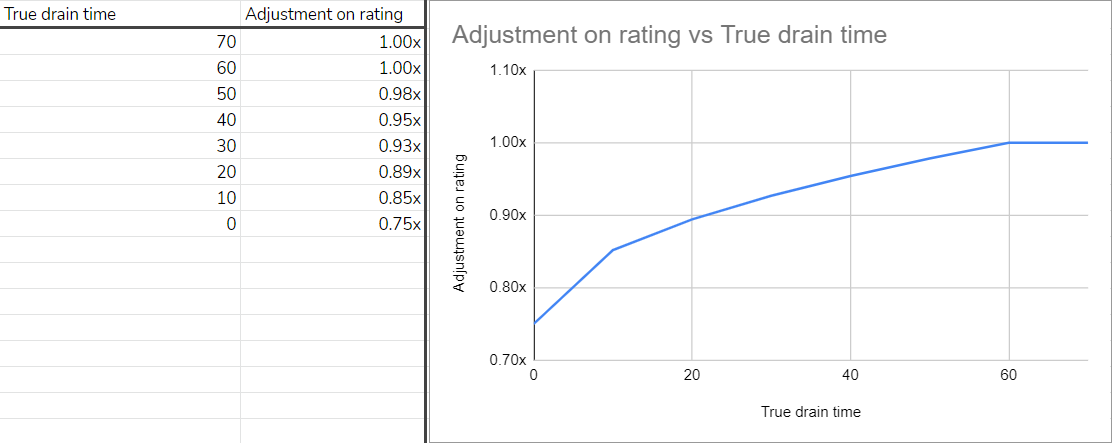
A few changes have been made to our difficulty calculation system. It may take up to a day at the time of writing for leaderboards to fully update.
Upon launching the game, your maps and local scores will automatically recalculate as long as you are in the menu screens.
Here are the following changes:
- Beginner and Easy Difficulties are scaled by density to provide a more accurate result.
- Improved the quality of the short long note nerf from a previous update.
- Hard Maps with easy sections that were previously underrated have been buffed.
- Short maps below 60 seconds that were previously overrated have been nerfed.
For a more detailed explanation with graphics, you can read the following notes.
Main Menu Skinning
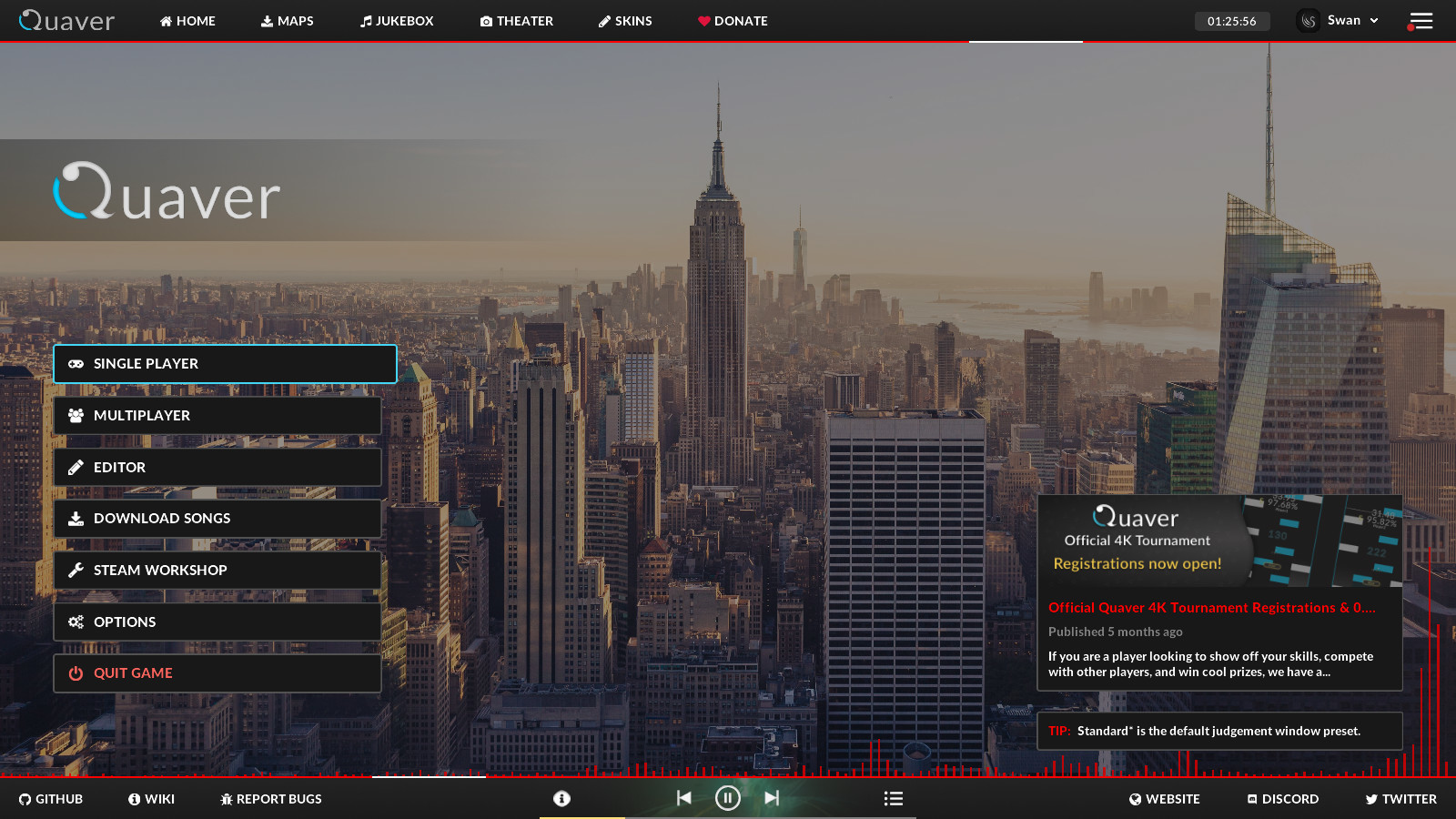
We have added the ability to customize the main menu screen.
You can learn how to skin the main menu on our wiki.
Menu skinning will be an incremental and iterative process - building out one screen at a time. Try it out, and provide feedback on GitHub with things that are missing or things you would like changed.
Editor Quality Of Life Improvements
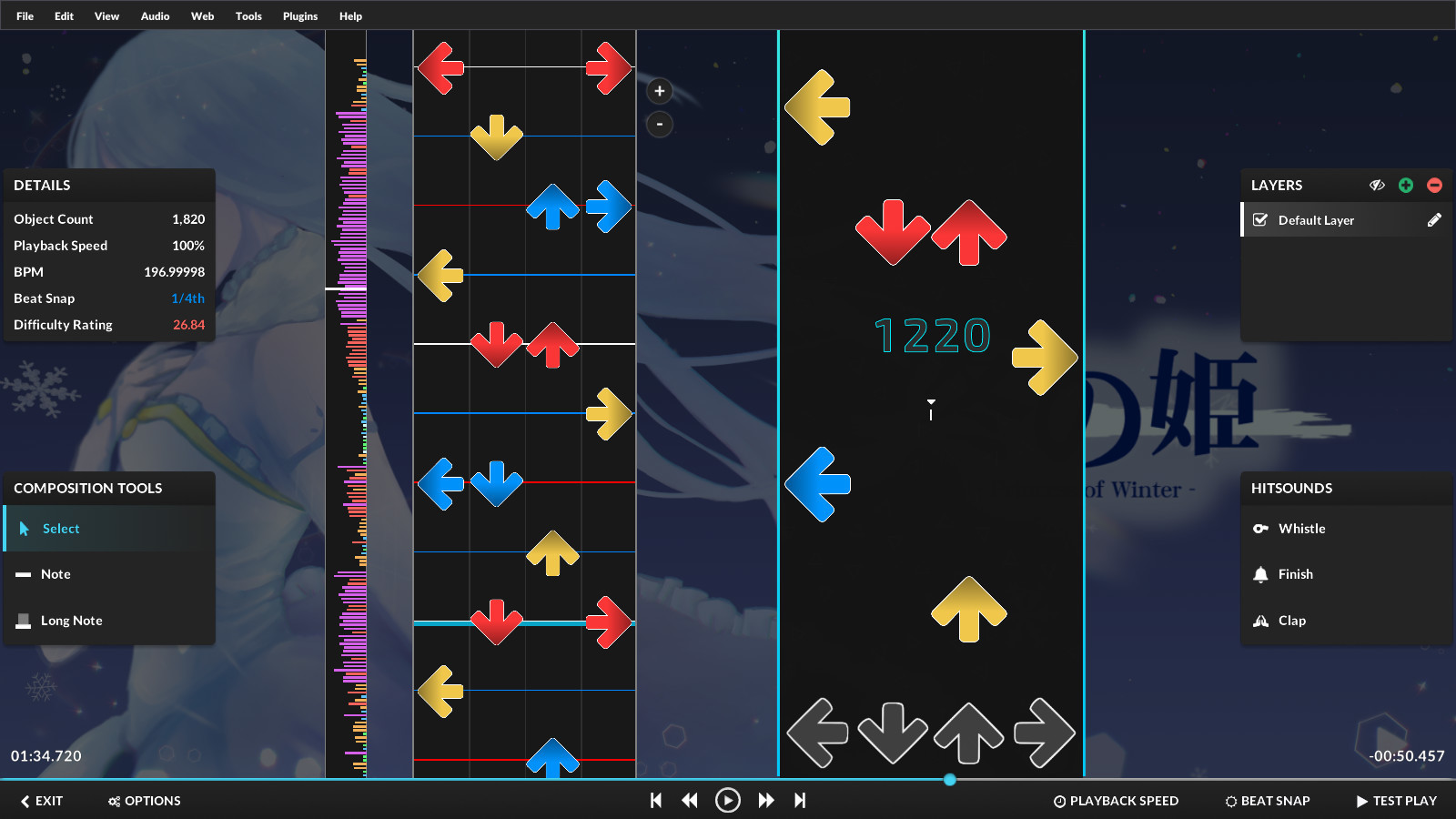
Further quality of life improvements & bug fixes have also been made to the editor.
- When using the "Apply Offset To Map" feature, the preview point will also be moved.
- Implemented EditorActionBatch for plugins to group actions into a single batch.
- When adding notes with the number keys, it will now add it to the currently selected layer.
- Toggling layer visibility no longer adds to the "Undo stack" in the editor.
- Time signatures are now taken into account when rendering the editor playfield lines.
- The metronome now takes into account the current timing point's time signature.
- Added the ability to explicitly hide timing lines in the timing point editor.
- Added a file menu bar option that contains information on how to add a background image.
- Added a file menu bar option & shortcut to force update the .qua file cache (for manual changes).
- Added manual .qua file change detection.
- Added the ability to add a new difficulty to a mapset from a .qua file.
- Added a copyright notice on the upload confirmation dialog.
- The number keys now change the composition tool when the "Place Objects With Top Row Numbers" option is disabled.
Results Screen Improvements
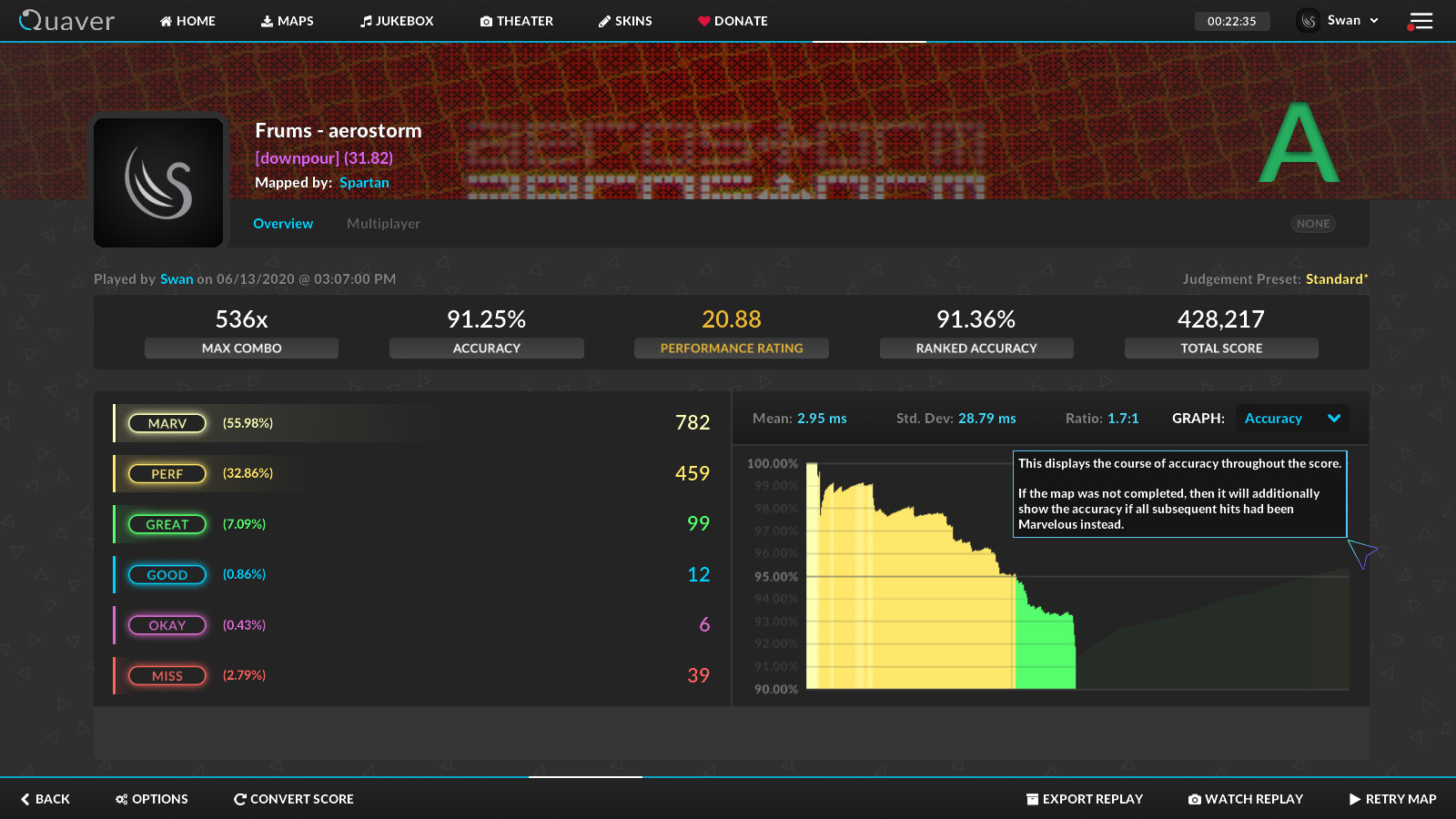
Updates have been made to the results screen such as the new addition of the "Accuracy" graph and improvements to the "Deviance" graph.
- The deviance graph in the results screen is now scaled to the full map length - meaning if you fail, it displays the total progress made in the map.
- The judgement window number labels on the deviance graph are now correct.
- Added red lines to display misses on the deviance graph.
- Added an accuracy graph in the results screen (use the "Graph" dropdown to access it).
- Added the ability to use the retry key in the results screen.
Other Additions
- You can now drag folders into the game window to import any maps inside of them.
- Chat message times now display in local time.
- Improved bulk song import speed.
- Improved the load speed and look of the difficulty seek bar in song select/editor/multiplayer.
- Implemented online offset & added a button to update all online offsets in the misc section of the options menu. We're currently working on adding online offsets for all existing maps.
- Added support for "Edit" difficulty when loading maps from an external game.
Bug Fixes
- Fixed long notes rendering past the receptors if hit late.
- Fixed an issue where the config file would not be written.
- Fixed songs from an external game not loading with a custom "BeatmapDirectory."
- Fixed the client hanging on startup if the config file is corrupted.
- Fixed banners not exporting to .qp files.
- Fixed borderless window issues when starting the game.
- Fixed banners not importing when loading .sm files.
Thanks For Reading!
- The Quaver Team 💙