Onset 1.4.1 (Protocol Compatibility 4)
Package index.lua
Each package can now register package files and scripts in a special Lua file. The index.lua is executed before the server loads the package.json file. In this Lua file you can register scripts and files to this package.
The following functions are only available to the index.lua script. Besides that, only Lua library functions are exposed the index.lua but no other Onset server functions.
Example for an index.lua script:
AddServerScript("server/*_s.lua")
AddClientScript("client/*_c.lua")
AddSharedScript("shared/*.lua")
AddFile("audio/sound.mp3")
AddFile("ui/*.html")
For the package to work, there has to be either an index.lua or a package.json config file. Both at the same time are also supported.
Package autostart folder
To autostart packages place them into the folder "autostart" where your OnsetServer.exe is located. If the folder does not exist, create a new one.
Packages inside this folder will be started alphabetically before any other packages.
The function StartPackage will attempt to look for packages in the autostart folder first.
SetPlayerVoiceRange
Besides the existing voice channel feature, a new function has been introduced that allows you to set the 3D range of a player's voice.
The range can't be greater than the voice distance set in the server_config.json.
To reset the voice range pass a value of 0.0 or less to this function.
Server:
AddRemoteEvent("ServerWhisper", function(player, whisper)
	if whisper then
		-- Player will be heard only 4 meters (400 cm)
		SetPlayerVoiceRange(player, 400.0)
	else
		SetPlayerVoiceRange(player, 0.0)
	end
end)
Client:
AddEvent("OnKeyPress", function(key)
	if key == "N" then
		CallRemoteEvent("ServerWhisper", true)
	end
end)AddEvent("OnKeyRelease", function(key)
	if key == "N" then
		CallRemoteEvent("ServerWhisper", false)
	end
end)
Config files comments
The server_config.json and package.json can now have comments starting with // or /* */.
Other server changes:
- Update to VS2019 (VC16). If you have troubles starting the server make sure you have the latest 2019 vc_redist 64bit installed.
- Print MB instead of KB to the console for the total client download if it exceeds a certain amount.
- Add --port and --maxplayers parameter.
Client changes
- Fix vehicles tires sometimes glitching through the ground.
- Fix vehicle falling through the ground when getting out and the car is flipped.
- Fix sportscar door position.
- Fix Pak unloading too early when disconnecting and a custom map is still loaded.
- WebUI whitelist PayPal and Cloudfront by default.
- UObject.ProcessEvent now supports FName and FText.
- Add function
UPrimitiveComponent:GetInertiaTensor(BoneName)
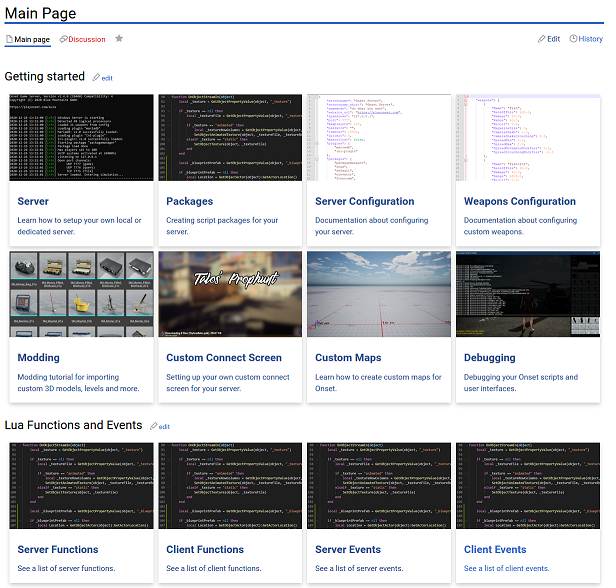
Wiki front page design updated
Check it out! https://dev.playonset.com/wiki/Main_Page