Hello everyone!
As mentioned a few weeks ago, the V0.9 BETA Update is now available for download!
Please note! This update may be very buggy and unstable. We will be releasing patches to fix any bugs over the next few weeks.
The beta is opt-in only for now. If you would like to join in, please follow these steps:
- Find Super Bunny Man in your Steam library, right-click, then select Properties...
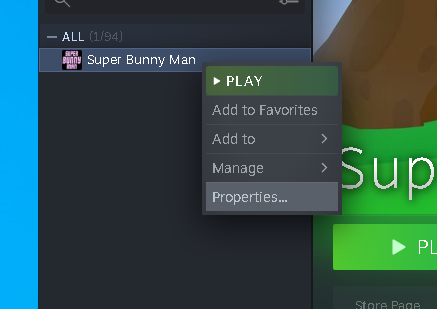
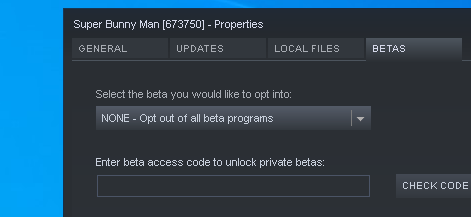
- Select the BETAS tab, then click the drop-down list that says "None - Opt out of all beta programs"
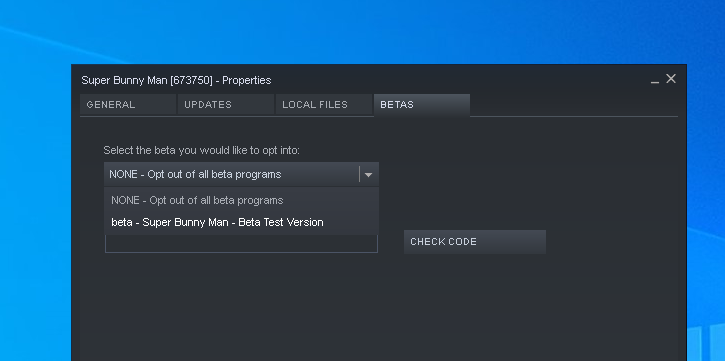
- Select "beta - Super Bunny Man - Beta Test Version" from the drop-down list. Click the Close button when done.
- Steam will then automatically install the beta version of Super Bunny Man.
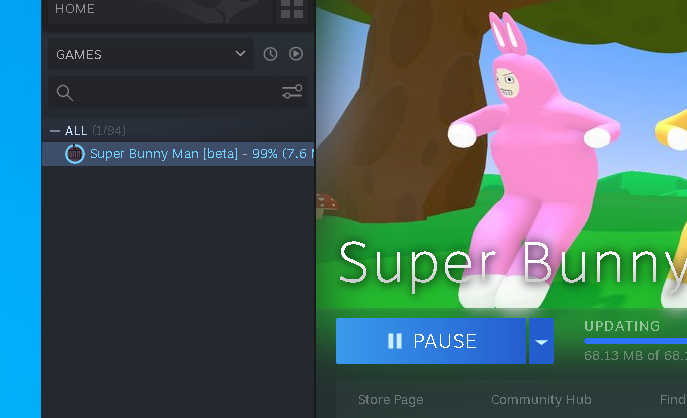
- Press play!
If you want to opt-out of the beta, just follow the steps above, but select the "None - Opt out of all beta programs" option from the drop-down list on the Properties>BETAS tab.
If you have any issues or find any bugs, we would really appreciate it if you could let us know via the Super Bunny Man - Steam Discussions page.
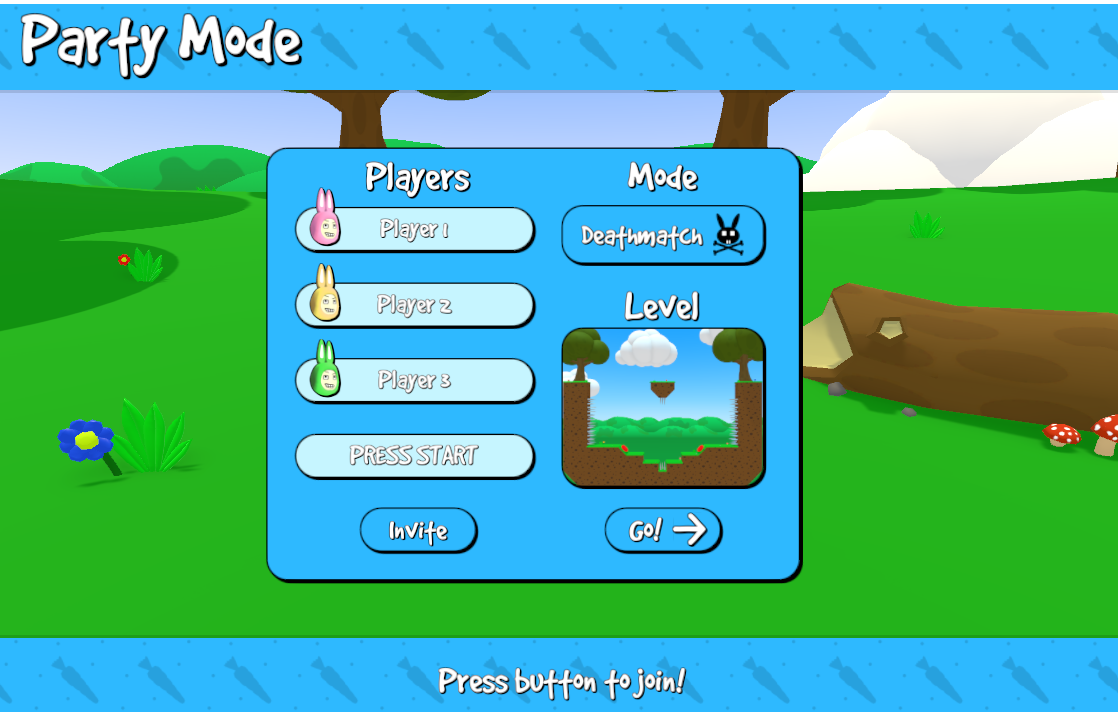
We hope you enjoy online party mode!
More from Super Bunny Man
Other announcements
A big thank you, and a PlayStation Launch! 🎉Hello everyone! 🐰 We wanted to take the opportunity to thank you all for your kind response to our recent updates. We’ve been so happy to hear that you’re enjoying the Steam achievements and that the improvements to lag and de-sync have been working well for you. We continued to push smaller patches throughout July to fix even more issues and are so happy that SBM is in the most stable state i…Update V1.2.3 - A small bug-fix patch for players who couldn't launch the gameHello everyone, We've released a small patch with a potential fix for players who told us they were unable to launch the game since the release of the V1.2.0 update. To all those players: could you please update the game and let us know if the problem is resolved? If not, we'll keep trying to fix it! Thanks for playing Super Bunny Man! 🐰Released V1.2.2 - many bug fixes!Hello everyone! We've just released a small update with many small things: · Fixed a bug where players would teleport back to where they previously died after respawning in Party Mode. · Fixed a bug where palm tree leaves would snap off at random times. · Fixed a bug where cave spikes would go crazy when touched by players in online Party Mode. · Fixed a visual bug that sometimes made terrain l…