Hey everyone! The first post release update is now live - v2.103
Before working on large new features/creations we wanted to focus on responding to player feedback post release, making better tutorials and making it easier to start editing, and fixing any issues players were having.
To keep up with development - join our Discord! https://discord.gg/2cNnWjb . All of our code changes are posted, and we respond to any suggestions / help messages whenever we can.
With this update out we are going to focus development on making larger creations including our new upcoming work in AI / voxels / destruction physics. Along with that we are hoping to get our mod SDK out + C# compiler as soon as possible.
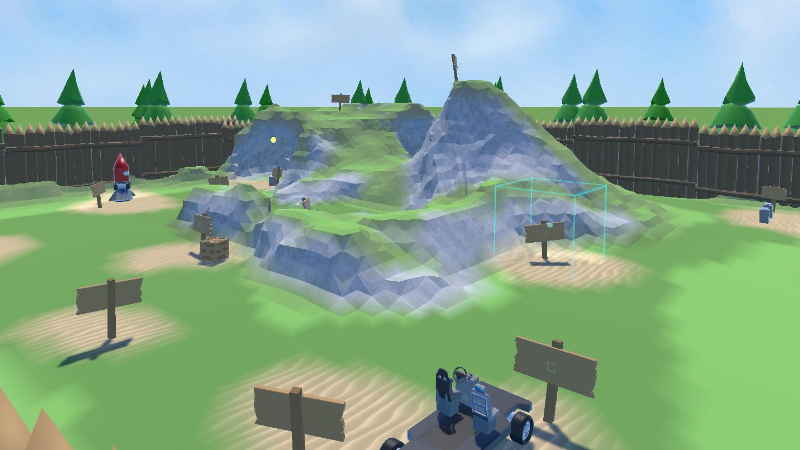
New Sandbox Tutorial Creation - to show how to edit and create while playing:
https://steamcommunity.com/sharedfiles/filedetails/?id=2251026926
Some of the larger changes:
- Imported Assets now sync online! So if you are editing a creation online and import a model/material from your hard drive, the other players will automatically download it and load it. New players that join will also download it. When importing from GooglePoly (and other online sources coming soon), all players will now import at once.
- Featured Creations - We split up the creation browsing into 'Alientrap' creations and 'Featured' workshop creations. This was so we can feature more player made creations, and still point new players towards the tutorials / example creations made by us.
- VR Stick Locomotion + Smooth Rotation - We added 'Stick Locomotion' option the day after release based on player feedback, with the left stick to move and right stick to rotate. 'Smooth Rotation' is a option set in VR Settings
- 'Grip' button used for grabbing on Oculus/WMR VR controllers. With 'Drop Toy on Grab Release' set in VR Settings this will mean your held Toy will drop on letting go off the grip trigger. You can also pick up things with grip rather than trigger
- New voxel options: Voxel Offset + Voxel Scale. You can now directly set the 'voxel scale' in voxel environments. The default 'voxel scale' is 0.5m so that cubic voxels line up nicely on the grid. Older creations might have a weird voxel scale + offset set for compatibility
- Better text chat window on desktop (with scrollable chat history). Also a 'Chat' option VR to see chat logs + allows VR players to add text chat.
- Added Jump button for VR players. Set to same button as 'snap rotate' (but will be used instead of Rotate for stick locomotion). Added 'Show Jump In Radial' option
Some changes to make editing easier, for current and new players:
- When going into edit mode on desktop for the fixed time it now shows a prompt if the player wants to use the Desktop Editor (for advanced users, a more traditional Unity-like 3d editor) or use the Radial tools.
- VR Tool changes - the most used tools are now shown first (like voxel / delete / edit), with setting options (like 'world options' 'world settings') now after 'more tools'. Also what was called the 'Entity Brush' is now the 'Quick Create' tool
- A lot of changes to the Tutorials. Including a new 'Scripting' section with ingame videos to show some of the scripting/Wiring options
- Simplified Wiring: defaults to just 'On' for event type (rather than needing to select from OnEvent/OnChange). This allows for selecting any type of variable to add a event to (good for when you don't know the variable options)
All the minor changes:
- New Toy Handle graphics, now a more subtle outline that should work with more creation art styles
- Fixes for SavedGame system, and loading saved games
- Better 'open creation' screen: now just a single 'workshop' option with the 'featured' toggle at the top. Added 'Hide MP Only' 'Hide VR Only' 'Hide Non-VR' filters
- Better "Feedback" screen + logs. That can now be used in VR.
- Split up VR Settings into a 'VR Locomotion' category
- Fixed issues with setting Range values in VR
- Now checks any static entities / environment blocking toys before showing them as pickup options on desktop
- Fixed MBScript truncating vector values (less than 0.01)
- Instructions now shown for importing some asset types
- 'Snap to grid' with Selector tool now snaps to angle
- 'HideHandsWhenShowingAvatar' now defaults to True (got a lot of complaints about 'double hands' showing)
- Core UI mod now always shown at bottom of asset lists
- Can no longer join online games where 'indev' doesnt match
- Fixed issue where toy Scopes were taking over camera (just winchester in wild west)
- 'PostFX in editmode' option
- File browser (in VR and on desktop) now defaults to last directory on opening
- 'Hide Controller Hints' VR option
- Fixed 'Cant pickup Toys that are outside the bounds of the level'
- Added 'MusicTrackCrossfadeTo' option to AudioSystem, to easily crossfade to a new track
thanks!
- Lee