The Simple Space update is finally here! In this update, we set about making the game as simple and intuitive to all players as possible. We wanted to create a game that was friendlier, more accessible, and easier for first timer users to pick up and play.
Watch on YouTube
One of the key features of this update is the Main Menu on the starting screen. Now, you have access to all the different game modes of Starblazer in an easy to access menu. Every time you quit a game mode, you're back to this one simple menu, making it easy to jump into any type of game you want to in Starblazer.
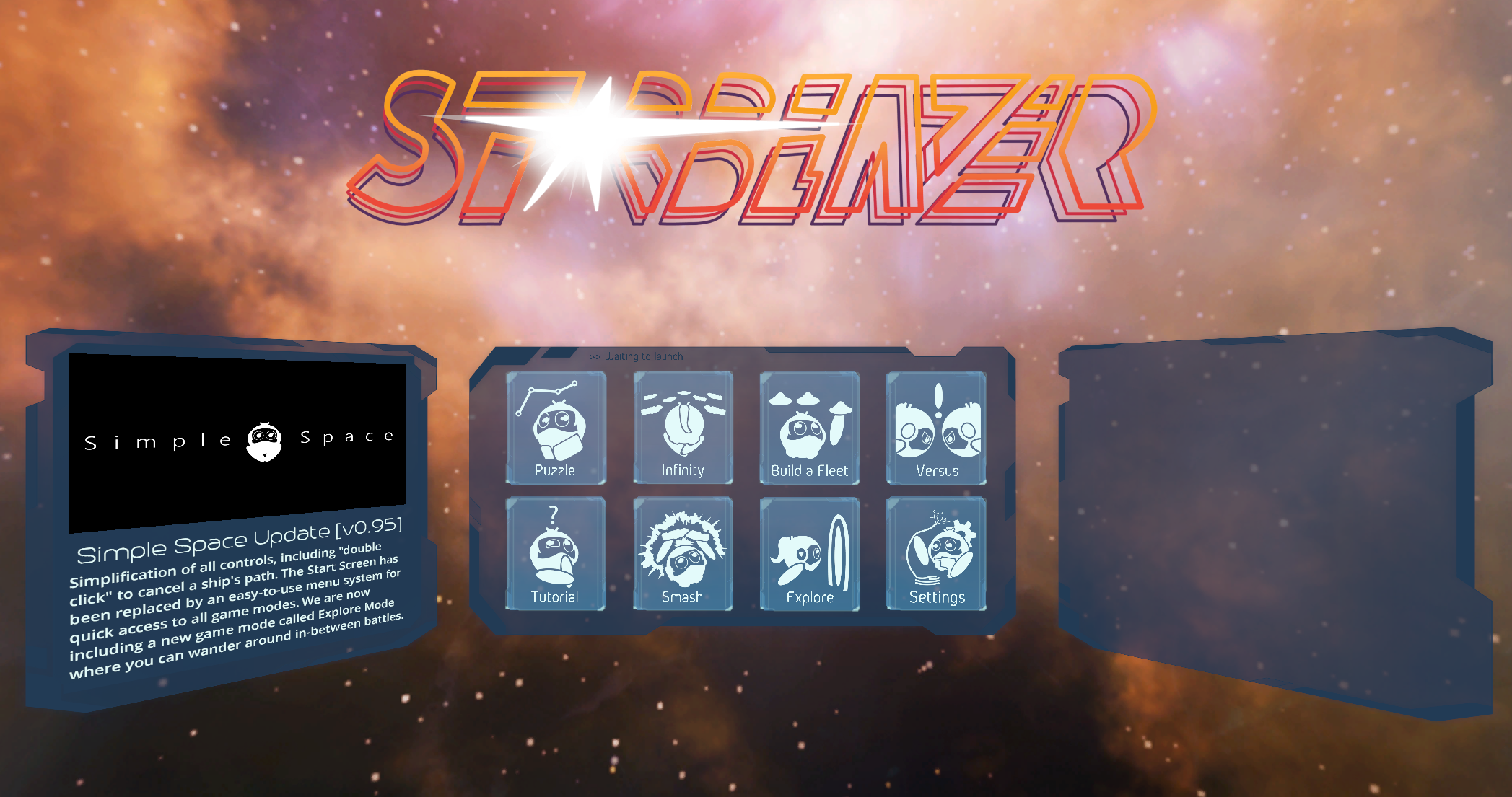
We also re-imagined the controls for Starblazer, making it our goal to simplify all gameplay just down to one single button! We were able to achieve this by building an intuitive cancellation system. Now you can cancel selections with the Select button (often Trigger) as well, just by clicking on the ship again or double clicking the waypoint. Starblazer has never been easier to play than it is now!
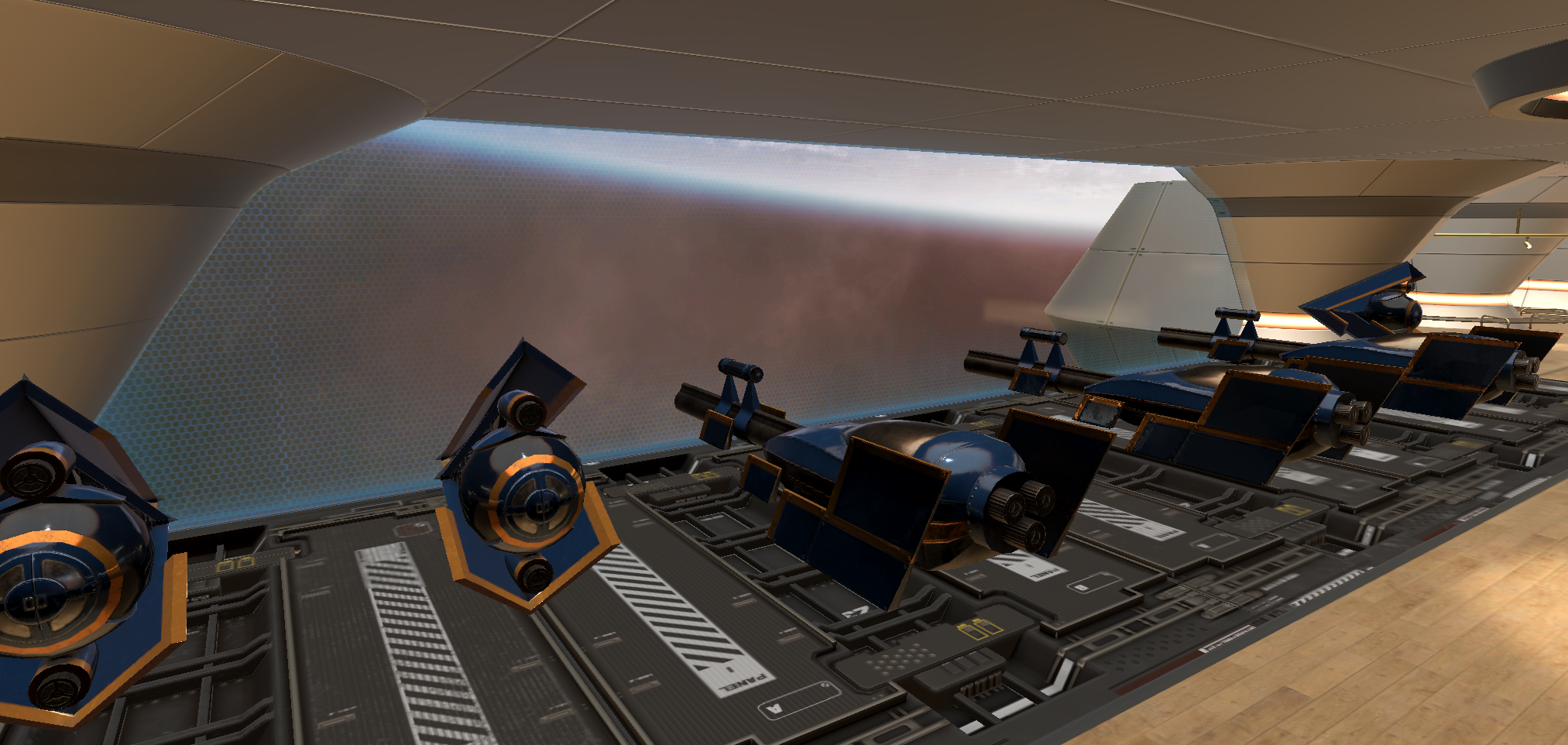
To go with this update, we unleveled some of the gameplay modes that people enjoyed into their own features. Smashing ships is now easy and obvious to jump into using the Smash game mode. Additionally, we are introducing the new Explore Mode, where users can wander around and explore the main ship in the series. Included are new locations like the Garage, the Airlock, and a first person view version of Fleetbuilder.
However you want to enjoy Starblazer, we want to make it easy and simple to do so! Have fun Starblazers!
Additional Features:
- Locomotion mode added to allow an additional control option other than teleport.
- Announcements and patch notes now added to the front screen on left-hand panel.
- Controller model added to replace the VR controllers.
- Intuitive trashcan added to Fleetbuilder to make deleting ships easier.
Completion marks added for Tutorial and Demo Room maps.
Tweaks:
- Saffron Stadium is widened to allow users to move around more freely.
- The walls of Blossom have been brought in to help with navigation and prevent ships from getting stuck on the outside.
- Moved the asymmetrical column in Incomplex to prevent it from blocking the player on one side unfairly.
- "Jenga-like" blocks have decreased friction to make the game more playable in StarRaver Lounge.
- The rings at the Space Pong table are widened in order to make easier to play.
- AI ships can make smarter decisions to cut down the length of their paths to enemy targets.
- AI ships will turn and attack their attacker if ambushed, ending their previous path and target.
- Splitters now have damage resistance against Bruisers.
- Firing range of the Bruiser increased by 20%.
- Text is larger and boldened in Demo Room to make more legible.
- Fleetbuilder teleport arc stops at the wall collision.
- Menu laser disappears when an object is being grabbed.
- Ships paired to a Bruiser are spaced out a little further.
- Demo Room voice from Orbit normalized and decreased in volume.
- Normalized the voiceover for starting a battle.
- Removed the Demo Station for Mini Battle in Demo Room.
- Added labels over all of the demo stations in Demo Room to replace the teleportation points.
- Removed additional audio sources in StarRaver to give DJ Inkers a clear audio system. Less grainy sound to his epic tunes from Chalk Dinosaur now.
- Desktop Icon for Starblazer replaced with an icon of Orbit.
- Teleportation floor in Blossom made smoother and easier to move across.
- Performance strain on Blossom decreased by ramping down the water effects in the creek.
- A return to safe zone added for Explore mode to catch player if wander into unsupervised areas.
- Made the CCV1 easier to read on maps like Melody by adding an opaque background to the selection cards.
- Thruster graphics added to the ships that can be seen out the window of The Bridge.
- The floor in the Bridge now drops down to match the aesthetic, where the Flagship is.
- Ships start further away from the player in Smash mode.
- The option to cancel a ship selection is now shown visually on the controller.
- Both the left and right hand can pull up the Quit menu.
- Asteroid can be grabbed in Smash mode.
- Waypoints fade 4x faster after deselecting, allowing for quicker gameplay.
- Lighting values decreased in Tutorial Room, making it more comfortable for the eyes.
- All windows inappropriately facing the void of space are covered up more realistically.
- Menu buttons made larger for accessibility, including the Quit button.
- Players can exit Starblazer from the main menu now.
- Beautiful skybox and audio added to loading screen for Starcade Arcade.
Bug Fixes:
- Orbit no longer gets stuck on the player's hand when they grab her.
- Ships can no longer collide and blow themselves up in Smash Mode.
- Double laser pointer removed from Demo Room, Tutorial, and Mini Battle.
- Mesh / texture jitter removed in Fleetbuilder.
- Builder progress will now appear on the display, even from a distance.
- Snap turns rotate around the player's axis, not the play area. This prevents them from rotating into a space not allowed or out of bounds.