Hi Guys!
There has been some talk recently on the forums in regards to the controller settings, with a little bit of confusion around what they do.
I decided to do a little write up here and explain some of the options for anyone that is new to Protonwar, so that you can customise the game a bit more for an enjoyable experience!
MOVEMENT MODES
First off, when you start the game you get a choice between, "Teleport Only" movement, "Advanced" movement, or "Seated" mode.
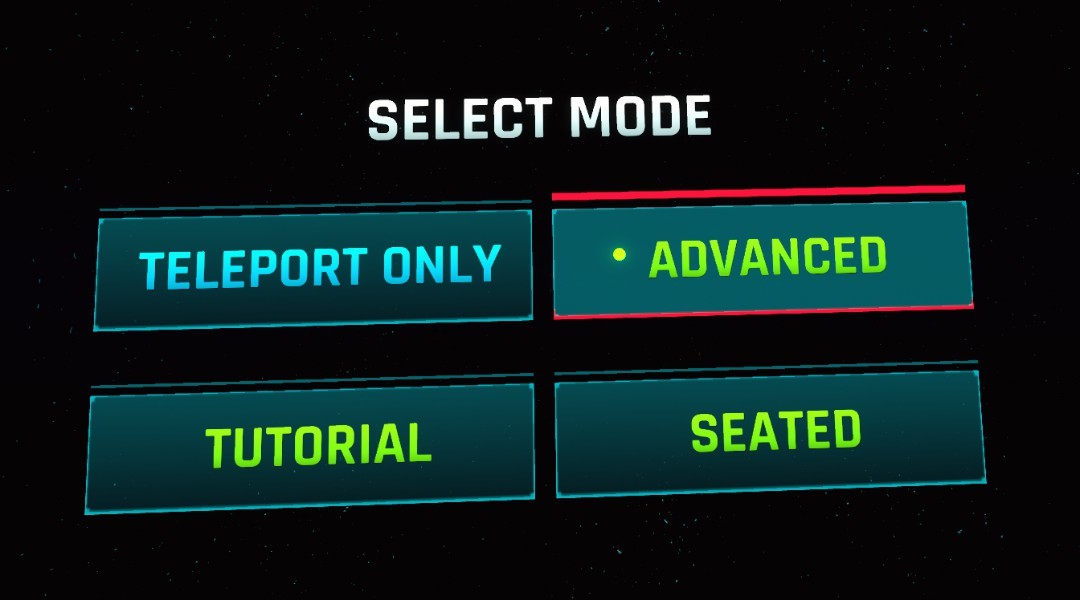
Teleport only: This will lock the character into a teleport only type movement mode, this is recommended for absolute vr beginners, or people that suffer from motion sickness in vr.
Advanced: This mode has full locomotion using your trackpad or joysticks on your motion controllers. This mode is similar to Onward or Pavlov. This is my personal favorite!
Seated: Seated is designed to be played with either a mouse and keyboard, or a control pad while seated at a desk, i will not cover the specific options for this mode as i do not recommend it, but it can be fun to play around in :)
You can select the menu options by pointing your controller at the option and pressing on your triggers.
CONTROLLER SETTINGS
To adjust how the controllers are mapped you can select "Settings" then "Input Presets" then "Config Motion" to adjust your VR controllers.
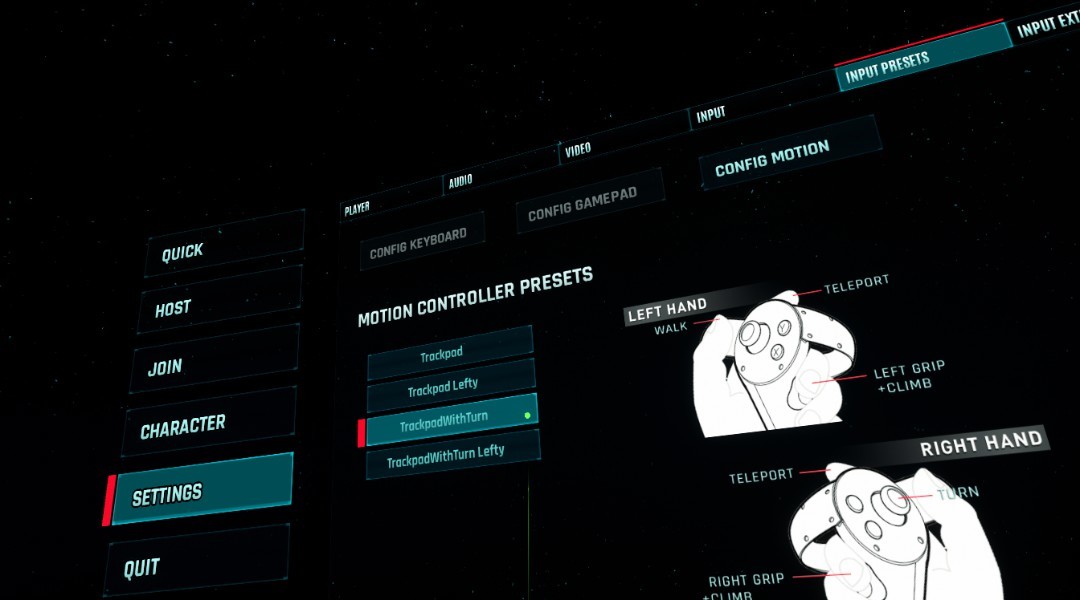
Trackpad: Default movement using the trackpad or joystick. To turn your character around in game you have to physically turn your body. This is the recommended setting as it is more comfortable.
TrackpadLefty: Default movement mode for a left handed person
TrackpadWithTurn: This mode will let you rotate your character around by using left / right on the joystick. This mode is reserved for the truly hardcore vr players as it can cause motion sickness.
TrackpadWithTurnLefty: Same as above, but for left handed.
EXTRA CONTROL SETTINGS
We can now also adjust some of the more advanced options about the movement, this can be done by selecting "Settings" then "Input Extra"
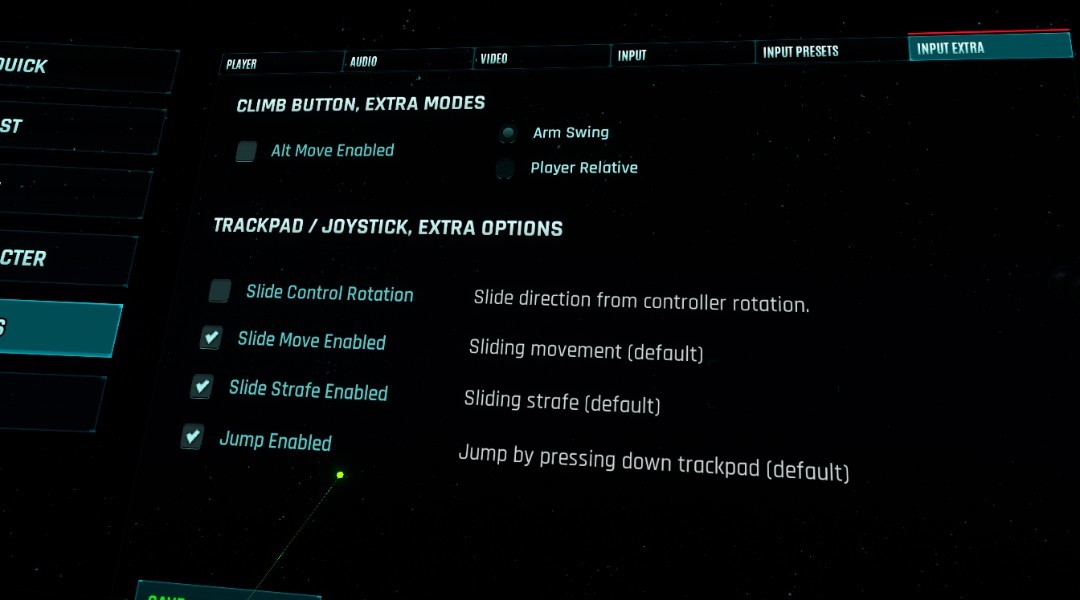
Alt Move Enabled: This is an extra mode that some people might have fun with, this mode relies on you pressing on your "Grip" button, then doing an action. We can choose between "Arm Swing", where your character will move forward based on you swinging your arms. Or "Player Relative" which is when you hold the grip button down, and point your controller in the direction you wish to move.
Slide Control Rotation: With this option enabled your movement direction is relative to the rotation of your motion controller, This can be a bit flaky at times, so it is off by default. However some players that have come from games like Onward/Pavlov might like this option.
Slide Move Enabled: Disable this if you wish to completely disable movement from the trackpad/joysticks. Only recommended if you are using the "Alt Move" options.
Slide Strafe Enabled: Disable this if you wish to disable Strafe movement that happens by pressing left/right on your trackpad/joystick.
Jump Enabled: Disabling this option will disable character jumping.
EXTRA FOR INDEX CONTROLLERS
The game has been tested on an Index and works as expected. The only real issue here is the default grip settings on the index seem to be causing jumping issues for a few people as the grip on the index uses a new touch sensitivity feature.
I have found a tip on reddit on how to reconfigure your index controllers in a way that i believe will improve the experience on the index for this game, and any game that uses a grip, that came out before the Index. (Or games designed for Oculus seem to be similar)
https://www.reddit.com/r/ValveIndex/comments/dxuj00/tips_for_index_controller_grip_set_up_for_oculus/
This option should fix up that issue for any Index users.
I hope that you found this small guide useful and that it will improve the experience for you all!
Cheers :-)
-Gozu