Patch Released - Text Layers, Browse by Author (Build 1.1.232)
Wallpaper Engine · published
Hey all,
this update brings text rendering support to Scene wallpapers and adds an option to browse all wallpapers by author right in the browser.
Text Features
A new layer type has been added, 'Text Layer', which allows you to add text to scenes. It supports multiple lines, custom fonts, basic alignment options and you can even apply all existing image effects to this layer.
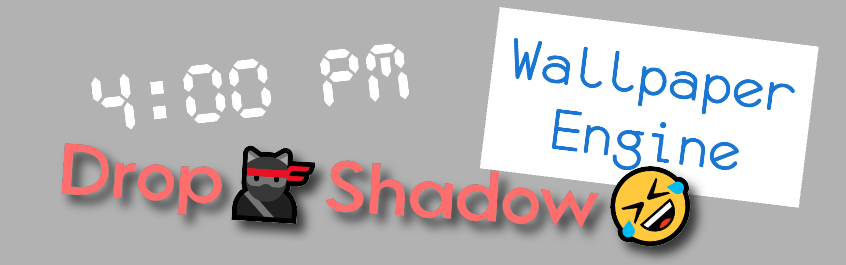
New Text Stock Assets
Using the scripting system, you can update the text while the wallpaper is running or even let the user write something in the browser that your wallpaper will then display. Some new assets have been added that use the text layer to demonstrate what you can do. That includes two clocks:

a countdown timer and a greeting, which uses a custom name the user can enter in the browser and changes based on the current time of day:

Each asset uses a script to dynamically update the text of the layer. Those scripts also contain a number of options for you to adjust, like the date that the countdown timer stops or whether you want a 12h or 24h clock.
Text Rendering
The text layer supports proper shaping and parsing. Overlapping characters will work or even colored emojis with modifiers:
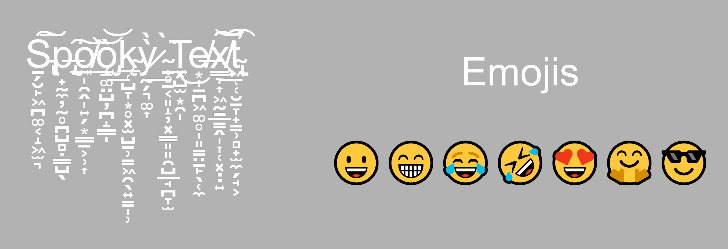
The emojis are rendered with the Windows 10 system font and will fallback to the Twitter font for emojis (ported by Mozilla) if your system doesn't come with its own font.

Vertical or RTL text is currently not supported.
Browse by Author
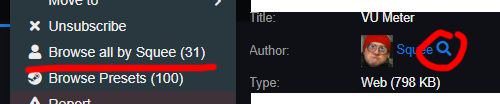
You can now right click a wallpaper or use the looking glass next to the author on the right to browse all wallpapers by a specific author:
Full changelog
Additions
- Added proper text rendering support using HarfBuzz and Freetype2.
- Added new text based asset presets: clock, 3D clock, personal greeting, countdown.
- Added a bunch of custom stock fonts.
- Added browse by author to wallpaper browser.
- Added Dino Run wallpaper as a default wallpaper to demonstrate SceneScript/text layers.
- Added registry key HKCU/Software/WallpaperEngine/hideTrayIcon to hide tray icon for power users since it makes it confusing/impossible to access or close the program.
- Added warning if Wallpaper Engine was installed into a badly named directory where Chromium can't load the UI.
- Added composition options to blur effect so it can be used as a drop shadow or outline on fonts.
Fixes
- Disabled task bar color in Win10 light mode because it can make the text unreadable and Microsoft wants to lock the task bar color in this mode.
- Made wallpaper multi select clear after moving items.
- Fixed URLs in playlists being skipped.
- Fixed Steam stats related crash when user stats weren't queried yet in the editor.
- Fixed particle systems using world space options to use wrong coordinates on control points.
❗❗❗❗❗---------------------------------------------------------❗❗❗❗❗
▶️Read this for common Steam/Anti-Virus/unrelated issues◀️
❗❗❗❗❗---------------------------------------------------------❗❗❗❗❗
Verification issue while updating
Content file locked / Disk write error / Content encrypted
Steamworks unavailable
If you still have any issues with Steam's update process or your anti-virus deleting Wallpaper Engine or something else, please make a thread after following this link to get help:
https://steamcommunity.com/app/431960/discussions/1/